



Skip to content
View in the app

A better way to browse. Learn more.

ZeiGames

A full-screen app on your home screen with push notifications, badges and more.

To install this app on iOS and iPadOS
  1. Tap the Share icon in Safari
  2. Scroll the menu and tap Add to Home Screen.
  3. Tap Add in the top-right corner.
To install this app on Android
  1. Tap the 3-dot menu (⋮) in the top-right corner of the browser.
  2. Tap Add to Home screen or Install app.
  3. Confirm by tapping Install.

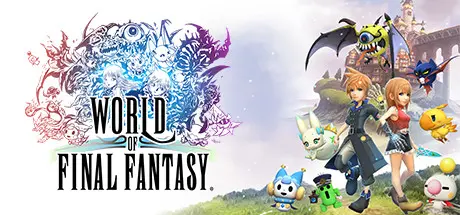
WORLD OF FINAL FANTASY Free Download (Build 10269241 + ALL DLC)
Featured Replies

header

Game Details

Release Name: WORLD OF FINAL FANTASY®

Game Version: Build 10269241

Release Date: 21 Nov, 2017

Publisher: Square Enix

Developer: Square Enix

Based On: CSF & Goldberg

WORLD OF FINAL FANTASY® Direct Download - Game Review

Embark on a magical journey with siblings Reynn and Lann as they explore the vast world of Grymoire to rediscover their past and save the future. In this unique and visually charming world, players can capture creatures, customize and evolve them to their liking, and organize them into adorable yet highly strategic stacks. Join unforgettable legends of the FINAL FANTASY universe in this epic adventure of heroes great and small.

  • A New Twist on Classic Battles: Master an all new battle system where players collect hundreds of unique creatures called Mirages and stack them on top of each other to fight foes. Combine your Mirages’ sizes and elements effectively to gain the advantage!

  • Customize, Evolve & Saddle Up: Evolve your Mirages to teach them new abilities in battle, unlock mirajewels that grant your main characters incredible powers, or “transfig” the Mirages into mighty new forms! Some Mirages will even join you in the field to speed you across the vast landscapes of this toy-like world.

  • A World of Vertical Possibility: Explore vertically stacked dungeons and use your Mirages to get past obstacles and progress. In the tall and towering world of Grymoire, the sky is truly the limit!


Game Screenshots

screenshot screenshot screenshot screenshot


Game Trailer


System Requirements

Minimum Requirements

Recommended Requirements

OS

Windows 7 64-bit

Windows 8/8.1 64-bit and Windows 10 64-bit

Processor

Intel Core i3 2.0GHz or above

Intel Core i3 2.4GHz or above

Memory

4 GB RAM

8 GB RAM

Graphics

NVIDIA GeForce GTS 450 1GB or higher, Radeon HD 5770 1GB or higher

NVIDIA GeForce GTX 660 2GB or higher, Radeon HD 7850 2GB or higher

DirectX

Version 11

Version 11

Storage

15 GB available space

15 GB available space


Installation Guide

  1. No Installation Needed: The game is pre-installed. Just download and extract.

  2. Extract: Right-click the .zip or .rar file and select "Extract Here" or "Extract to folder".

  3. Run: Find WOFF.exe inside the folder and run it.

Game Data & Settings

  • Change Language: Edit the file located at steam_settings/Configs.user.ini

  • Save Data Location: %USERPROFILE%/My Documents/My Games\WOFF\

Important Notes

DLC List

Added DLCs

WORLD OF FINAL FANTASY MAXIMA Upgrade (WORLD OF FINAL FANTASY® MAXIMA Upgrade)

WOFF DLC - Soundtrack

WOFF DLC - Wallpaper

🔥DOWNLOAD AREA🔥

🔹11.22 GB🔹

Select the server you want to download with ZeiLink.

Download

header.jpg

  • Views 1.2k
  • Created
  • Last Reply

Posted Images

Create an account or sign in to comment

Recently Browsing 0

  • No registered users viewing this page.

Account

Navigation

Search

Search

🔎 Search Tip
For exact results, search using "game name" .
Without quotes, results may include unrelated titles.

Configure browser push notifications

Chrome (Android)
  1. Tap the lock icon next to the address bar.
  2. Tap Permissions → Notifications.
  3. Adjust your preference.
Chrome (Desktop)
  1. Click the padlock icon in the address bar.
  2. Select Site settings.
  3. Find Notifications and adjust your preference.
