



Skip to content
View in the app

A better way to browse. Learn more.

ZeiGames

A full-screen app on your home screen with push notifications, badges and more.

To install this app on iOS and iPadOS
  1. Tap the Share icon in Safari
  2. Scroll the menu and tap Add to Home Screen.
  3. Tap Add in the top-right corner.
To install this app on Android
  1. Tap the 3-dot menu (โ‹ฎ) in the top-right corner of the browser.
  2. Tap Add to Home screen or Install app.
  3. Confirm by tapping Install.

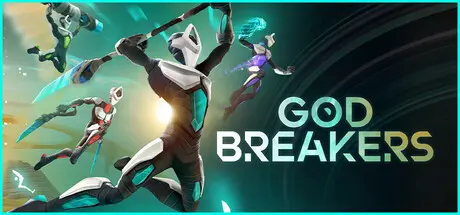
GODBREAKERS Free Download (v2.1 + ALL DLC + Online)
Featured Replies

header.webp

Game Details

Release Name:ย GODBREAKERS

Game Version:ย v2.1 | Build 21587165

Release Date: 23 Oct, 2025

Publisher: Thunderful Publishing

Developer: To The Sky

Based On:ย CSF & Goldberg

GODBREAKERS Direct Download - Game Review

Experience high expression combat with animation cancelling, dashes, aerial mobility, and spectacle fighting that rewards mastery while staying friendly to new players.

Drop in with friends for structured chaos. Coordinate your abilities, amplify each otherโ€™s builds and take down powerful bosses together. Fight solo to sharpen your skills or jump into an adrenaline rush in Co-Op with friends or others online.

Every major enemy becomes a source of new abilities. Rip out their powers mid-fight and chain them into devastating Godbreak attacks! Every biome has a flavour of its own, dive in and sample them all.

Face memorable bosses with multi-phase encounters, distinct personalities, and spectacular attacks. These epic boss fights test your reflexes and coordination while offering you peak chaos. Come prepared, and bring backup!

Fight your way through 6 surreal biomes, each filled with unique enemies, deadly hazards, and challenges. Shifting layouts and unpredictable encounters keep you on your toes, pushing you to adapt your approach with every run.

Shape your combat style by experimenting with builds and unlocking Archetypes, each with their own weapons and traits. Collect powerful items, customize your look and abilities, and refine your identity with every run. Create a team where each memberโ€™s strengths complement the others.


Game Screenshots

screenshot screenshot screenshot screenshot


Game Trailer


System Requirements

Minimum Requirements

Recommended Requirements

OS

Windows 10 or later 64-bit

Windows 10 or later 64-bit

Processor

Intel Core i5-7400 or equivalent

Intel Core i7-10700K or equivalent

Memory

16 GB RAM

16 GB RAM

Graphics

Nvidia GeForce GTX 1060 (6GB) / AMD Radeon RX 580 (8GB)

NVidia GeForce RTX 3060 / AMD Radeon RX 6800

DirectX

Version 12

Version 12

Storage

-

-


Installation Guide

  1. No Installation Needed: The game is pre-installed. Just download and extract.

  2. Extract: Right-click the .zip or .rar file and select "Extract Here" or "Extract to folder".

  3. Run: Find Godbreakers.exe inside the folder and run it.

Multiplayer & Online (Optional)

  • Play Online: Download the Online Fix file and apply it to the game folder.

  • Please go to the online fix page and read the guide.

Game Data & Settings

  • Change Language: Edit the file located at steam_settings/Configs.user.ini

  • Save Data Location: %USERPROFILE%/AppData/Local/Godbreakers/Saved/SaveGames

Important Notes

DLC List

Added DLCs

GODBREAKERS: Costume Party Supporter Pack

GODBREAKERS: Halloween Supporter Pack

GODBREAKERS: Juice Items Pack

GODBREAKERS: Deluxe Items Pack

๐Ÿ”ฅDOWNLOAD AREA๐Ÿ”ฅ

๐Ÿ”น6.17 GB๐Ÿ”น

Select the server you want to download with ZeiLink.

Download

Online Fix - (RAR pass: rexagames.com)

  • DicDale changed the title to GODBREAKERS Free Download (v2.1 + ALL DLC + Online)

  • Views 3.1k
  • Created
  • Last Reply

Posted Images

Create an account or sign in to comment

Recently Browsing 0

  • No registered users viewing this page.

Account

Navigation

Search

Search

๐Ÿ”Ž Search Tip
For exact results, search using "game name" .
Without quotes, results may include unrelated titles.

Configure browser push notifications

Chrome (Android)
  1. Tap the lock icon next to the address bar.
  2. Tap Permissions โ†’ Notifications.
  3. Adjust your preference.
Chrome (Desktop)
  1. Click the padlock icon in the address bar.
  2. Select Site settings.
  3. Find Notifications and adjust your preference.