



Skip to content
View in the app

A better way to browse. Learn more.

ZeiGames

A full-screen app on your home screen with push notifications, badges and more.

To install this app on iOS and iPadOS
  1. Tap the Share icon in Safari
  2. Scroll the menu and tap Add to Home Screen.
  3. Tap Add in the top-right corner.
To install this app on Android
  1. Tap the 3-dot menu (โ‹ฎ) in the top-right corner of the browser.
  2. Tap Add to Home screen or Install app.
  3. Confirm by tapping Install.

Plants vs. Zombies: Replanted Free Download (v1.5.1)
Featured Replies

header.webp

Game Details

Release Name:ย Plants vs. Zombiesโ„ข: Replanted

Game Version:ย v1.5.1 | Build 21398230

Release Date: 23 Oct, 2025

Publisher: Electronic Arts

Developer: PopCap Games, The Lost Pixels

Based On:ย CSF & Goldberg

Plants vs. Zombiesโ„ข: Replanted Direct Download - Game Review

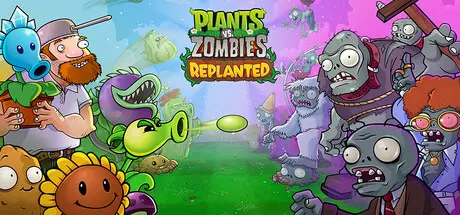
The classic Plants vs. Zombies returns in glorious HD! DANG! After years in Crazy Daveโ€™s attic, the original battle between Plants and Zombies is back โ€” bigger, brighter, and crazier than ever before! Experience the game that started it all, now remastered with upscaled HD graphics and packed with new secrets to uncover.

Revisit the epic backyard standoffs you remember, this time with new levels, fresh twists, and 15 years of never-before-seen franchise history at your fingertips. Relive the glory days of peashooters, sunflowers, and brain-hungry chaos! Rejoin the ultimate garden defense and experience the backyard brawl that started a phenomenon โ€” now back for a new era!


Game Screenshots

screenshot screenshot screenshot screenshot


Game Trailer


System Requirements

Minimum Requirements

Recommended Requirements

OS

Windows 10 64-bit or later

Windows 10 64-bit or later

Processor

AMD FX-6300 / 3rd gen i3 or better

Intel i5 6600 or equivalent

Memory

4 GB RAM

8 GB RAM

Graphics

Intel Integrated Graphics

Radeon HD 7730 or better, GeForce GT 640 or better

DirectX

Version 11

Version 11

Storage

4 GB available space

4 GB available space


Installation Guide

  1. No Installation Needed: The game is pre-installed. Just download and extract.

  2. Extract: Right-click the .zip or .rar file and select "Extract Here" or "Extract to folder".

  3. Run: Find Replanted.exe inside the folder and run it.

Game Data & Settings

  • Change Language: Edit the file located at steam_settings/Configs.user.ini

  • Save Data Location: %USERPROFILE%/AppData/Local/PopCap Games/PvZ Replanted/

Important Notes

๐Ÿ”ฅDOWNLOAD AREA๐Ÿ”ฅ

๐Ÿ”น1.30 GB๐Ÿ”น

Select the server you want to download with ZeiLink.

Download

  • Replies 9
  • Views 15.2k
  • Created
  • Last Reply

Top Posters In This Topic

Most Popular Posts

  • Can you please upload update 1.3.0 with dynamic music fixed please

  • MrBobNotPirate
    MrBobNotPirate

    Hey! I'm hoping you add the newest patch to Replanted, v1.3.0 which adds dynamic audio back.

Most Helpful Posts

  • Can you please upload update 1.3.0 with dynamic music fixed please

  • MrBobNotPirate
    MrBobNotPirate

    Hey! I'm hoping you add the newest patch to Replanted, v1.3.0 which adds dynamic audio back.

Posted Images

Thanks! i was waiting for this, is this the most recent update? i saw there is a "Launch Day" patch v1.2

3 minutes ago, DicDale said:

Game Updated v1.2 | Build 20486788

You're the main source I trust for my games bro. I love you. Deadass. Thank you for everything.

broo at first I thought its fake ๐Ÿ˜ญ thank u veery much

first time in this website i luv it thx its real and no virus detected ๐Ÿ˜ญ i luv u mn

  • 1 month later...

Can you updated the game to version 1.5.0. Which just releases today? Thanks!

Create an account or sign in to comment

Recently Browsing 0

  • No registered users viewing this page.

Account

Navigation

Search

Search

๐Ÿ”Ž Search Tip
For exact results, search using "game name" .
Without quotes, results may include unrelated titles.

Configure browser push notifications

Chrome (Android)
  1. Tap the lock icon next to the address bar.
  2. Tap Permissions โ†’ Notifications.
  3. Adjust your preference.
Chrome (Desktop)
  1. Click the padlock icon in the address bar.
  2. Select Site settings.
  3. Find Notifications and adjust your preference.
