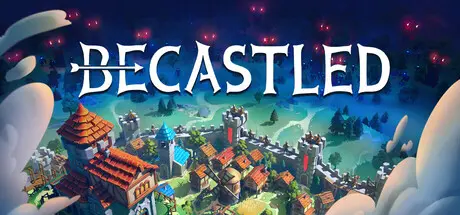
October 23, 2025Oct 23 Becastled Game DetailsRelease Name: BecastledGame Version: v1.0 | Build 20502958Release Date: 22 Oct, 2025Publisher: Mana Potion Studios, Pingle Studio LtdDeveloper: Mana Potion StudiosBased On: CSF & GoldbergBecastled Direct Download - Game OverviewBecastled is a cozy-meets-challenging strategy game that combines city building with RTS-like tower defense. You are the lord of the Sun Kingdom, leading its final stand against the Moon Beasts.Design and build your castle, grow a settlement, and prepare your people for the nightly siege. By day, gather resources, place buildings, raise walls, and lay roads, keeping your subjects happy with taverns and decorations. By night, man the battlements, unleash ballistas, and hold the line until dawn.The siege horns sound at sunset. How long can your fortress hold the dark?Transform a humble village into a true medieval city. Lay farms and markets to keep your people fed, gather wood and iron for construction, and raise walls, watchtowers, and gates to protect your keep. Build a fantasy bastion where life flourishes under the sun!Satisfied subjects work harder and fight with greater courage. Sawmills may sour the air, but lively taverns and street decorations lift every spirit. Balance comfort and function to keep your kingdom strong through each long night.At sunset, the Moon Beasts strike with battering rams, siege towers and even dragons. Layer your defenses with walls and iron gates, rain fire with catapults and archers, and withstand ever-stronger assaults until sunrise.Forge weapons and armor to prepare your warriors for the siege. Advance from basic infantry to an army with ballistas and trebuchets. Archers, swordsmen, and pikemen will fight to the last if you train and equip them well. If the walls fall, rally every villager to defend their home.Hills, rivers, and forests can be your castle’s best allies, offering natural moats and tactical positions. But shifting seasons can betray you. A river shields you in summer but freezes solid in winter, creating a bridge for your enemy. Adapt your defenses and stockpile resources ahead of time.A strong economy fuels a stronger army. Grow your domain, claim new lands, and mine precious Sunstone to raise buildings and keep your people safe.As your settlement expands, you will push back the forces of the night. But will you have the strength to end the ancient war between the Sunfolk and the creatures of the Moon?Becastled Screenshots Becastled TrailerBecastled System Requirements Minimum RequirementsRecommended Requirements OSWindows 7Windows 10 ProcessorIntel Core i3-7100 3.9GHz or AMD Ryzen 3 2200GIntel Core i5-7500 @ 3.40GHz or AMD Ryzen 5 3600X 3.8GHz Memory4 GB RAM8 GB RAM GraphicsNVIDIA GeForce GTX 670 or AMD R9 270 (2GB VRAM with Shader Model 5.0 or better)NVIDIA GeForce GTX 970 or AMD R9 290X (4GB VRAM with Shader Model 5.0 or better) DirectX-- Storage1 GB available space2 GB available space How to Install BecastledNo Installation Needed: The game is pre-installed. Just download and extract.Extract: Right-click the .zip or .rar file and select "Extract Here" or "Extract to folder".Run: Find Becastled.exe inside the folder and run it.Game Data & SettingsChange Language: Edit the file located at steam_settings/Configs.user.iniSave Data Location: %USERPROFILE%/AppData/LocalLow/Mana Potion Studios/BecastledImportant NotesTo support the Game Developer, Get It On Steam.🔥DOWNLOAD AREA🔥🔹357 MB🔹Select the server you want to download with ZeiLink.Download





Create an account or sign in to comment