



Skip to content
View in the app

A better way to browse. Learn more.

ZeiGames

A full-screen app on your home screen with push notifications, badges and more.

To install this app on iOS and iPadOS
  1. Tap the Share icon in Safari
  2. Scroll the menu and tap Add to Home Screen.
  3. Tap Add in the top-right corner.
To install this app on Android
  1. Tap the 3-dot menu (โ‹ฎ) in the top-right corner of the browser.
  2. Tap Add to Home screen or Install app.
  3. Confirm by tapping Install.

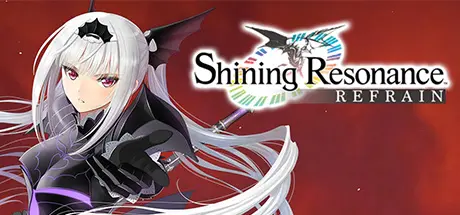
Shining Resonance Refrain Free Download (Build 2929280)
Featured Replies

header.webp

Game Details

Release Name:ย Shining Resonance Refrain

Game Version:ย Build 2929280

Release Date: 9 Jul, 2018

Publisher: SEGA

Developer: SEGA

Based On:ย voices38

Shining Resonance Refrain Direct Download - Game Review

Play as Yuma Ilvern and stop the Empire from exploiting the power of the ancient dragons, including the soul of the Shining Dragon within you. With the help of your friends, realize your destiny, save Astoria, and unleash the strength youโ€™ve always had locked away.

In the original game, previously released only in Japan, Imperial Princess Excella was an unplayable character, but in the new โ€œRefrain Modeโ€ in Shining Resonance Refrain, both she and Dragonslayer Jinas can be added as party members for a new experience โ€“ just be sure to save this for your second playthrough to avoid any spoilers! As an added bonus, all of the extra cosmetic items and side quests are included in this remaster.

Dragons were long thought to be extinct, and because Yuma holds the ability to transform into the Shining Dragon, he was taken as a captive of the Empire. With the help of the Dragoneers, Sonia, princess of Astoria, pleads with Yuma to aid them in their fight to save their land from the Empireโ€™s dominion. Typically timid, will Yuma find the courage to realize the strength he has within him?


Game Screenshots

screenshot screenshot screenshot screenshot


Game Trailer


System Requirements

Minimum Requirements

Recommended Requirements

OS

Microsoft Windows 7 / 8 (8.1) / 10

Microsoft Windows 7 / 8 (8.1) / 10

Processor

Intel Core i3 (2.9 GHz) or AMD equivalent

Intel Core i5 (3.4 GHz) or AMD equivalent

Memory

4 GB RAM

8 GB RAM

Graphics

Video card with 1 GB VRAM (Nvidia GeForce 460 or AMD Radeon 5670)

Video card with 2 GB RAM (Nvidia GeForce 660 Ti or AMD Radeon R9 270)

DirectX

Version 11

Version 11

Storage

-

-


Installation Guide

  1. No Installation Needed: The game is pre-installed. Just download and extract.

  2. Extract: Right-click the .zip or .rar file and select "Extract Here" or "Extract to folder".

  3. Run: Find game.exe inside the folder and run it.

Game Data & Settings

  • Change Language: Edit the file located at steam_settings/Configs.user.ini

Important Notes

๐Ÿ”ฅDOWNLOAD AREA๐Ÿ”ฅ

๐Ÿ”น20.70 GB๐Ÿ”น

Select the server you want to download with ZeiLink.

Download

  • Views 1.6k
  • Created
  • Last Reply

Posted Images

Create an account or sign in to comment

Recently Browsing 0

  • No registered users viewing this page.

Account

Navigation

Search

Search

๐Ÿ”Ž Search Tip
For exact results, search using "game name" .
Without quotes, results may include unrelated titles.

Configure browser push notifications

Chrome (Android)
  1. Tap the lock icon next to the address bar.
  2. Tap Permissions โ†’ Notifications.
  3. Adjust your preference.
Chrome (Desktop)
  1. Click the padlock icon in the address bar.
  2. Select Site settings.
  3. Find Notifications and adjust your preference.
