



Skip to content
View in the app

A better way to browse. Learn more.

ZeiGames

A full-screen app on your home screen with push notifications, badges and more.

To install this app on iOS and iPadOS
  1. Tap the Share icon in Safari
  2. Scroll the menu and tap Add to Home Screen.
  3. Tap Add in the top-right corner.
To install this app on Android
  1. Tap the 3-dot menu (โ‹ฎ) in the top-right corner of the browser.
  2. Tap Add to Home screen or Install app.
  3. Confirm by tapping Install.

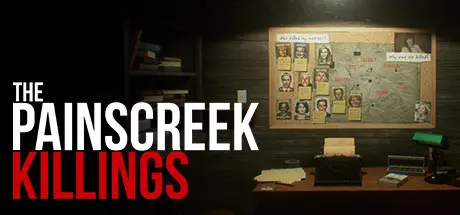
The Painscreek Killings Free Download (Build 16562334 + The Making of The Painscreek Killings DLC)

Featured Replies

header.webp

Game Details

Release Name:ย The Painscreek Killings

Game Version:ย Build 16562334

Release Date: 27 Sep, 2017

Publisher: EQ Studios

Developer: EQ Studios

Based On:ย CSF & Goldberg

The Painscreek Killings Direct Download - Game Review

As Janet, a young and upcoming journalist, you have been asked by your editor to investigate the mysterious abandonment of a once lively town. Based on the information released by the media about the deaths of the townspeople, you set foot into the town thinking you would find an interesting story to publish, only to uncover secrets that were meant to stay hidden forever.

Can you expose the truth behind this townโ€™s dark secrets?

The Painscreek Killings borrows mechanics from a walking simulator but goes beyond it by making the players think. It mimics real world investigations with logical puzzles that do not hold your hand, allow you to explore wherever your investigation lead, and a captivating story waiting to be discovered. The game encourages you to explore the surroundings carefully, collect clues and hints to help your investigation, and find evidence to expose the truth about the killings. There are no quest markers or hint systems to aid in your journey. You will be forced to think, to connect the dots and to piece things together, making you feel like a real investigator.

  • Free-Roaming, Semi-Open World:
    Explore wherever you want based on the clues and hints gathered during your investigation.

  • Mimics Real World Investigation:
    Take notes and photograph important clues. No handholding, and no quest marker or hint system is provided.

  • Logical Puzzles:
    Use your powers of observation and deduction to solve all that stands in your way.

  • Rich and Captivating Storyline:
    Uncover the conspiracies, heartaches, jealousy and hidden secrets that were meant to be buried with the abandoned town.


Game Screenshots

screenshot screenshot screenshot screenshot


Game Trailer


System Requirements

Minimum Requirements

Recommended Requirements

OS

Windows 7/8/10 64-bit

Windows 7/8/10 64-bit

Processor

i3-2120 @3.3GHz

i5-2500 @3.3GHz

Memory

8 GB RAM

8 GB RAM

Graphics

NVIDIA GTX 745 (or AMD equivalent)

NVIDIA GTX 770 (or AMD equivalent)

DirectX

Version 11

Version 12

Storage

11 GB available space

11 GB available space


Installation Guide

  1. No Installation Needed: The game is pre-installed. Just download and extract.

  2. Extract: Right-click the .zip or .rar file and select "Extract Here" or "Extract to folder".

  3. Run: Find Painscreek.exe inside the folder and run it.

Game Data & Settings

  • Change Language: Edit the file located at steam_settings/Configs.user.ini

  • Save Data Location: %USERPROFILE%/AppData/LocalLow/EQ Studios/The Painscreek Killings/

Important Notes

DLC List

Added DLCs

The Painscreek Killings - The Making of The Painscreek Killings

๐Ÿ”ฅDOWNLOAD AREA๐Ÿ”ฅ

๐Ÿ”น4.30 GB๐Ÿ”น

Select the server you want to download with ZeiLink.

Download

  • Views 969
  • Created
  • Last Reply

Posted Images

Create an account or sign in to comment

Recently Browsing 0

  • No registered users viewing this page.

Account

Navigation

Search

Search

๐Ÿ”Ž Search Tip
For exact results, search using "game name" .
Without quotes, results may include unrelated titles.

Configure browser push notifications

Chrome (Android)
  1. Tap the lock icon next to the address bar.
  2. Tap Permissions โ†’ Notifications.
  3. Adjust your preference.
Chrome (Desktop)
  1. Click the padlock icon in the address bar.
  2. Select Site settings.
  3. Find Notifications and adjust your preference.