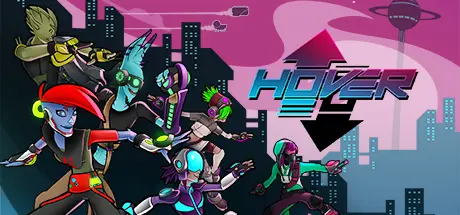
October 19, 2025Oct 19 Hover Game DetailsRelease Name: HoverGame Version: v1.7.2 | Build 2800045Release Date: 31 May, 2017Publisher: NaconDeveloper: Midgar Studio, Fusty GameBased On: CSF & GoldbergHover Direct Download - Game OverviewHover is a fast-paced single and multiplayer Parkour game in a futuristic 3D Open World.The game takes place in ECP17, a high-tech city also called Hover City by its inhabitants and located on a distant planet. The Great Admin cut the communication with the Galactic Union and established a strong dictatorship. Having fun has become illegal and entertainment is banished.You're in charge of a team of young rebels, the Gamers, fighting against the new anti-leisure laws oppressing the city. Equipped with high-tech gears allowing amazing jumps and speed, they roam the city to sabotage the propaganda, help citizens, and find a way to reach the Orbital Station. This way they could warn the Galactic Union and put an end to the oppression.Hover is both a single and multiplayer experience. At any time you can instantly switch from offline to online mode and join your friends or players from around the world and progress through the adventure by cooperating or playing against them. No matter where you are and what you’re doing, you’ll be able to connect. Hover is also a community-driven game offering many tools to players to create missions or mini games.Hover Screenshots Hover TrailerHover System Requirements Minimum RequirementsRecommended Requirements OSWindows® 7 64-bit / Windows® 8 64-bit / Windows® 8.1 64-bit- ProcessorIntel® Core™ i3-4130 @3.4 GHz- Memory4 GB RAM- GraphicsNVIDIA® GeForce® GTX 650 / AMD Radeon™ HD 6870- DirectXVersion 11- Storage2 GB available space- How to Install HoverNo Installation Needed: The game is pre-installed. Just download and extract.Extract: Right-click the .zip or .rar file and select "Extract Here" or "Extract to folder".Run: Find Hover.exe inside the folder and run it.Game Data & SettingsChange Language: Edit the file located at steam_settings/Configs.user.iniImportant NotesTo support the Game Developer, Get It On Steam.🔥DOWNLOAD AREA🔥🔹1.12 GB🔹Select the server you want to download with ZeiLink.Download





Create an account or sign in to comment