



Skip to content
View in the app

A better way to browse. Learn more.

ZeiGames

A full-screen app on your home screen with push notifications, badges and more.

To install this app on iOS and iPadOS
  1. Tap the Share icon in Safari
  2. Scroll the menu and tap Add to Home Screen.
  3. Tap Add in the top-right corner.
To install this app on Android
  1. Tap the 3-dot menu (โ‹ฎ) in the top-right corner of the browser.
  2. Tap Add to Home screen or Install app.
  3. Confirm by tapping Install.

The Crew 2 Free Download (v4060652 + Gold Edition + ALL DLC)
Featured Replies

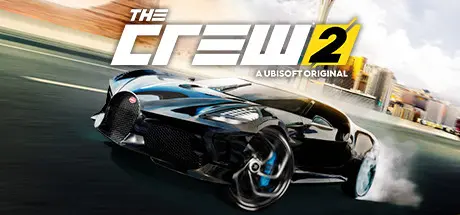
header.webp

Game Details

Release Name:ย The Crew 2

Game Version:ย v4060652

Release Date: 28 Jun, 2018

Publisher: Ubisoft

Developer: Ivory Tower

Based On:ย RUNE

The Crewโ„ข 2 Direct Download - Game Review

JOIN A COMMUNITY OF 30 MILLION PLAYERS! Get ready for a high-speed trip across the USA and enjoy one of the most complete open world action driving experiences ever created. With dozens of new game modes, tracks, vehicles, events, and more added every season, The Crew 2 has all you need for an unforgettable ride.

Take on the American motorsports scene, discover exhilarating landscapes, and pick your favorite vehicles among hundreds. Experience the thrill and excitement of competing across the USA as you test your skills in a wide range of disciplines. Record every heart-pounding moment and share them with the push of a button โ€“ fame is yours to take! Play with up to seven friends online.

New: play The Crew 2 offline or online with the new Hybrid mode, available now! Enjoy both the original online experience and a new way to play solo.


Game Screenshots

screenshot screenshot screenshot screenshot


Game Trailer


System Requirements

Minimum Requirements

Recommended Requirements

OS

Originally released for Windows 7, the game can be played on Windows 10 and Windows 11 OS

Originally released for Windows 7, the game can be played on Windows 10 and Windows 11 OS

Processor

Intel Core i5-2400s @ 2.5 GHz or AMD FX-6100 @ 3.3 GHz or equivalent

Intel Core i5-4690k @ 3.5 GHz or AMD Ryzen 5 1600 @ 3.2 GHz or equivalent

Memory

8 GB RAM

8 GB RAM

Graphics

NVIDIA GeForce GTX 660 or AMD HD 7870 (2GB VRAM with Shader Model 5.0 or better)

NVIDIA GeForce GTX 1060 (6GB) or GTX 970 (4GB) or AMD RX 470 (8GB) or better

DirectX

-

-

Storage

-

-


Installation Guide

  1. No Installation Needed: The game is pre-installed. Just download and extract.

  2. Extract: Right-click the .zip or .rar file and select "Extract Here" or "Extract to folder".

  3. Run: Find TheCrew2.exe inside the folder and run it.

Important Notes

DLC List

Added DLCs

TC2 - Mazda RX8 Starter Pack - Ubi Activation

The Crew 2 - Mazda RX8 Starter Pack

TC2 - Porsche Cayman GT4 2016 Starter Pack - Ubi Activation

The Crew 2 - Porsche Cayman GT4 2016 Starter Pack

The Crew 2 - New Gold Edition - Ubisoft Activation

The Crew 2 - Special Edition - Ubisoft Activation

The Crew 2 - Free weekend ownership

The Crew 2 - Full Game ownership

The Crew 2 - Season Pass

The Crew 2 - Season Pass - Uplay Activation

The Crew 2 - Gold Edition - Uplay Activation

The Crew 2 - Deluxe Edition - Uplay Activation

The Crew 2 - Standard Edition - Uplay Activation

The Crew 2 - Gold Preorder - Uplay Activation

The Crew 2 - Deluxe Preorder - Uplay Activation

The Crew 2 - Standard Preorder - Uplay Activation

๐Ÿ”ฅDOWNLOAD AREA๐Ÿ”ฅ

๐Ÿ”น34.31 GB๐Ÿ”น

Select the server you want to download with ZeiLink.

Download

  • DicDale changed the title to The Crew 2 Free Download (v4060652 + Gold Edition + ALL DLC)

  • Views 2.2k
  • Created
  • Last Reply

Posted Images

Create an account or sign in to comment

Recently Browsing 0

  • No registered users viewing this page.

Account

Navigation

Search

Search

๐Ÿ”Ž Search Tip
For exact results, search using "game name" .
Without quotes, results may include unrelated titles.

Configure browser push notifications

Chrome (Android)
  1. Tap the lock icon next to the address bar.
  2. Tap Permissions โ†’ Notifications.
  3. Adjust your preference.
Chrome (Desktop)
  1. Click the padlock icon in the address bar.
  2. Select Site settings.
  3. Find Notifications and adjust your preference.