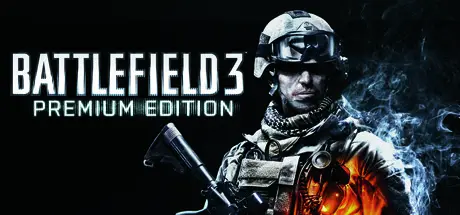
October 15, 2025Oct 15 Battlefield 3 Game DetailsRelease Name: Battlefield 3™Game Version: v1.4.0 | Update 4Release Date: 11 Jun, 2020Publisher: Electronic ArtsDeveloper: DICEBased On: RELOADEDBattlefield 3™ Direct Download - Game OverviewRamp up the intensity in Battlefield™ 3 and enjoy total freedom to fight the way you want. Explore 29 massive multiplayer maps and use loads of vehicles, weapons, and gadgets to help you turn up the heat. Plus, every second of battle gets you closer to unlocking tons of extras and moving up in the Ranks. So get in the action.Play to your strengths — The 4 player classes — Assault, Engineer, Support, and Recon — each have specialties, and working together is key to victory.Go anywhere, do anything — Commandeer any vehicle you come across, from tanks and buggies to helicopters and jets. Even slam your F/A-18E Super Hornet directly into an enemy combatant!Experience total mayhem — Enjoy 29 multiplayer maps. Massive destructible environments? Yup. Wide open spaces for crazy vehicular combat? Roger that.Grab loads of unlockables — Every battle gains you Ranks, Ribbons, Medals, and more, enhancing your prowess. Stick with your helicopter, master your piloting, and unlock IR flares to ward off oncoming missiles or opt to increase your stealth.Battlefield 3 Screenshots Battlefield 3 TrailerBattlefield 3 System RequirementsMinimum RequirementsRecommended RequirementsOSWindows 7 64-bitWindows 7 64-bitProcessor2 GHz Dual Core (Core 2 Duo 2.4 GHz or Althon X2 2.7 GHz)Quad-core CPUMemory2 GB RAM4 GB RAMGraphicsGraphics card (AMD): DirectX 10.1 compatible with 512 MB RAM (ATI Radeon 3000, 4000, 5000 or 6000 series, with ATI Radeon 3870 or higher performance) Graphics card (NVIDIA): DirectX 10.0 compatible with 512 MB RAM (NVIDIA GeForce 8, 9, 200, 300, 400 or 500 series with NVIDIA GeForce 8800 GT or higher performance)Graphics Card: DirectX 11 compatible with 1024 MB RAM (NVIDIA GeForce GTX 560 or ATI Radeon 6950)DirectXVersion 10Version 11Storage20 GB available space20 GB available spaceHow to Install Battlefield 3No Installation Needed: The game is pre-installed. Just download and extract.Extract: Right-click the .zip or .rar file and select "Extract Here" or "Extract to folder".Run: Find bf3.exe inside the folder and run it.Important NotesTo support the Game Developer, Get It On Steam.🔥DOWNLOAD AREA🔥🔹13.88 GB🔹Select the server you want to download with ZeiLink.Download





Create an account or sign in to comment