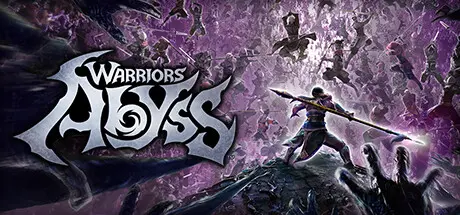
October 14, 2025Oct 14 WARRIORS: Abyss Game DetailsRelease Name: WARRIORS: AbyssGame Version: v1.4.2 | Build 19240642Release Date: 12 Feb, 2025Publisher: KOEI TECMO GAMES CO., LTD.Developer: KOEI TECMO GAMES CO., LTD.Based On: CSF & GoldbergWARRIORS: Abyss Direct Download - Game Overview"WARRIORS: Abyss - Hack'n'Dash Edition" is a set consisting of the main game and the content listed below.• Legendary Costume SetA set of 57 costumes from "DYNASTY WARRIORS 3" and "SAMURAI WARRIORS." Powerful heroes like Lu Bu and Tadakatsu Honda will also be available as playable characters once the player has completed the tutorial.• 3,000 Karma EmbersA bonus of 3,000 Karma Embers that can be used to unlock heroes in the Hall of Bonded Souls. These Karma Embers can be claimed after the first set of results has been displayed in game.Note:- The products "WARRIORS: Abyss" (standard version) and "WARRIORS: Abyss - Hack'n'Dash Ultimate Edition" are also available for purchase. Please confirm that you have selected the correct product before making your purchase.- Please be aware that the content "3,000 Karma Embers" may become available for purchase or for free at a later date.Take command of historic and masterful warriors by challenging countless swarms of enemies. Through victory and defeat, traverse the merciless trials of hell.There are 100 and more heroes for players to ally with, allowing them to combine the unique traits of multiple heroes and create their own powerful parties who will help them fight their way through the dead souls of Hell.WARRIORS: Abyss Screenshots WARRIORS: Abyss TrailerWARRIORS: Abyss System Requirements Minimum RequirementsRecommended Requirements OSWindows® 10/11 64-bitWindows® 10/11 64-bit ProcessorIntel Core i3-8100 or higher, AMD Ryzen 3 3200G or higherIntel Core i7-4770 or higher, AMD Ryzen 5 2600 or higher Memory8 GB RAM8 GB RAM GraphicsNVIDIA GeForce GTX 960 (VRAM 2GB) or better, AMD Radeon R9 380 (VRAM 4GB) or betterNVIDIA GeForce RTX 2060 (VRAM 6GB) or better, AMD Radeon RX 5600 XT 14Gbps (VRAM 6GB) or better DirectXVersion 11Version 11 Storage4 GB available space4 GB available space How to Install WARRIORS: AbyssNo Installation Needed: The game is pre-installed. Just download and extract.Extract: Right-click the .zip or .rar file and select "Extract Here" or "Extract to folder".Run: Find WARRIORSAbyss.exe inside the folder and run it.Game Data & SettingsChange Language: Edit the file located at steam_settings/Configs.user.iniSave Data Location: %USERPROFILE%/My Documents/KoeiTecmo\WARRIORSAbyss\SAVEDATAImportant NotesTo support the Game Developer, Get It On Steam.DLC ListAdded DLCsWARRIORS: Abyss - MASTER NINJA Formal Costume SetWARRIORS: Abyss - MASTER NINJA Legacy Costume SetWARRIORS: Abyss - Atelier Series Academy Costume SetWARRIORS: Abyss - Atelier Series Vacation Costume SetWARRIORS: Abyss - NOBUNAGA'S AMBITION Yukimura Sanada Costume SetWARRIORS: Abyss - SAMURAI WARRIORS Western Japan Classic Costume SetWARRIORS: Abyss - DYNASTY WARRIORS Jin Dynasty Classic Costume SetWARRIORS: Abyss - 5,000 Karma EmbersWARRIORS: Abyss - 3,000 Karma EmbersWARRIORS: Abyss - SAMURAI WARRIORS Classic Costume SetWARRIORS: Abyss - DYNASTY WARRIORS Classic Costume SetWARRIORS: Abyss - Hack'n'Dash Legendary Costume SetWARRIORS: Abyss - "DYNASTY WARRIORS" Costume Set🔥DOWNLOAD AREA🔥🔹3.57 GB🔹Select the server you want to download with ZeiLink.Download
October 15, 2025Oct 15 The game might crash on start-up if you have bluetooth headphones connected. Disable them, boot the game, reconnect them but you won't have audio. To fix the audio, I had to swap from "Headset" to "Headphones".





Create an account or sign in to comment