



Skip to content
View in the app

A better way to browse. Learn more.

ZeiGames

A full-screen app on your home screen with push notifications, badges and more.

To install this app on iOS and iPadOS
  1. Tap the Share icon in Safari
  2. Scroll the menu and tap Add to Home Screen.
  3. Tap Add in the top-right corner.
To install this app on Android
  1. Tap the 3-dot menu (โ‹ฎ) in the top-right corner of the browser.
  2. Tap Add to Home screen or Install app.
  3. Confirm by tapping Install.

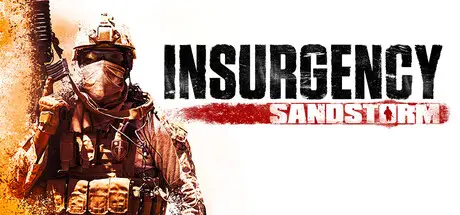
Insurgency: Sandstorm Free Download (v1.20 + ALL DLC)
Featured Replies

On 10/25/2025 at 8:23 PM, MikeQc said:

go to game folder and start:
EasyAntiCheat_setup.exe
then click: repair service.
( program files x86/ Steam/ steamapps/ common/ sandstorm/ EasyAntiCheat/ ...)

or you can start EasyAntycheat.exe in program files (x86) double click, chose game and click repair service.

If this dosen't help reinstall EAC.

you can also just clear out the contents of AppData\Roaming\EasyAntiCheat and they will be recreated when EAC launches next.

You have to go into the file directory and open the game through InsurgencyEAC, that will make a small Easy Anti-Cheat logo pop up in the bottom left corner, showing it is activated and works, which means you wont get booted

Having no luck rn. Have you tried playing this unofficial version of the game, joining a dedicated server without being kicked?

  • Replies 15
  • Views 6.2k
  • Created
  • Last Reply

Top Posters In This Topic

Most Popular Posts

  • You can change the name here Engine/Binaries/ThirdParty/Steamworks/Steamv148/Win64/steam_settings/configs.user.ini

  • hi you can ask him on creating post in game request to have better chance to see your message

  • go to game folder and start: EasyAntiCheat_setup.exe then click: repair service. ( program files x86/ Steam/ steamapps/ common/ sandstorm/ EasyAntiCheat/ ...) or you can start EasyAntycheat.exe in pr

Posted Images

9 hours ago, KairosZ said:

Having no luck rn. Have you tried playing this unofficial version of the game, joining a dedicated server without being kicked?

i never try joining dedicated server but i see a lot of people been kicked in redits i alway play my game offline if i not own it if i do online is only for mod.io i think we can get detect playings online with cracked game

Reinstalled the game more than once and still none of the DLCs including the newest cosmetic & camo sets (Climber & Vandal) are available and need to be purchased, can someone lmk how to activate them or...?

Edited by BuruUruntu

On 10/30/2025 at 2:18 PM, BuruUruntu said:

Reinstalled the game more than once and still none of the DLCs including the newest cosmetic & camo sets (Climber & Vandal) are available and need to be purchased, can someone lmk how to activate them or...?

can you see your dlc on manage dlc on the game with steam Make sure it's selected in your library. Scroll down until you can see DLC on the right hand side, click manage my (insert number here) DLC, look for a little tick mark on that specific DLC.

If it's selected, try verifying your game files, you might have one or more damaged files.

I also remember reading that playing a specific game type can affect the DLC,

Hello. I recently downloaded the game and I would like to ask how can I unlock all cosmetics?

UPDATE:

I FIXED IT โž—

Step 1: Look for the configs_app.ini file.

Step 2: Search for the unlock_all command line.

Step 3:Switch it from 0 to 1.

Step 4:???

STEP 5: Have fun!

unlock.png

Edited by PrinceOfDarkness24

  • 2 weeks later...
How to activate all DLCs: Insurgency.Sandstorm.v1.19.RexaGames.com\Engine\Binaries\ThirdParty\Steamworks\Steamv148\Win64\steam_settings (Open configs.app.ini) find "unlock_all=0" change "0" to "1". Save, and you're done! (I figured it out myself)
  • DicDale changed the title to Insurgency: Sandstorm Free Download (v1.20 + ALL DLC)

Create an account or sign in to comment

Recently Browsing 0

  • No registered users viewing this page.

Account

Navigation

Search

Search

๐Ÿ”Ž Search Tip
For exact results, search using "game name" .
Without quotes, results may include unrelated titles.

Configure browser push notifications

Chrome (Android)
  1. Tap the lock icon next to the address bar.
  2. Tap Permissions โ†’ Notifications.
  3. Adjust your preference.
Chrome (Desktop)
  1. Click the padlock icon in the address bar.
  2. Select Site settings.
  3. Find Notifications and adjust your preference.