



Skip to content
View in the app

A better way to browse. Learn more.

ZeiGames

A full-screen app on your home screen with push notifications, badges and more.

To install this app on iOS and iPadOS
  1. Tap the Share icon in Safari
  2. Scroll the menu and tap Add to Home Screen.
  3. Tap Add in the top-right corner.
To install this app on Android
  1. Tap the 3-dot menu (โ‹ฎ) in the top-right corner of the browser.
  2. Tap Add to Home screen or Install app.
  3. Confirm by tapping Install.

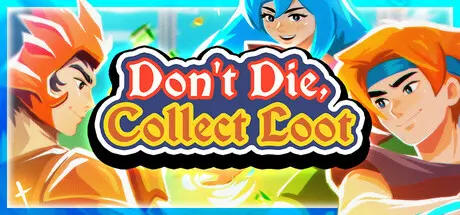
Don't Die, Collect Loot Free Download (v0.3.1 Hotfix14)
Featured Replies

header.webp

Game Details

Release Name:ย Don't Die, Collect Loot

Game Version:ย v0.3.1 Hotfix14 | Build 20167008

Release Date: 19 Sep, 2025

Publisher: indie.io

Developer: Dan Marchand

Based On:ย CSF & Goldberg

Don't Die, Collect Loot Direct Download - Game Review

What is Don't Die, Collect Loot? Apart from not dying and collecting loot, it's an arcade roguelite RPG mixed with bullet hells, dedicated to letting you realize the ultimate power fantasy: Become the most powerful being in the world - and then grow even more powerful, with no limits on just how mighty your chosen hero can become.

Fight your way through infinite retro worlds. Collect tons of loot. Sell it. Grow in power. Then grow some more. There is no such thing as overpowered in Don't Die, Collect Loot, there's only stepping stones to greatness.

  • Choose one of five distinct hero classes to lead to ludicrous heights of power and beyond!

  • Pick out their skills from a tree that's filled with weird, overpowered, or otherwise useful powers to blast through hordes of enemies!

  • Kit out your hero using a random loot generator that can and will create supercharged items (or vendor trash, you never know!), with a rare unique every now and then. All completely customizable to boot!

  • Fight untold numbers of enemies trying to rip your hero apart or drown them in a hail of bullets, across endless, procedurally generated fantasy worlds!

  • Customize your experience and make it as challenging or as frictionless as you prefer, even inย  the middle of a run. There are many ways to realize a proper fantasy power fantasy, after all!

  • Figure out the mystery of the world! Yes, there is a storyline! Find mysterious artifacts and connect the dots to learn the secrets of this world, frozen in time...


Game Screenshots

screenshot screenshot screenshot screenshot


Game Trailer


System Requirements

Minimum Requirements

Recommended Requirements

OS

Windows 7+

-

Processor

Intel i5+

-

Memory

2 GB RAM

-

Graphics

NVidia 480+ or equivalent

-

DirectX

-

-

Storage

300 MB available space

-


Installation Guide

  1. No Installation Needed: The game is pre-installed. Just download and extract.

  2. Extract: Right-click the .zip or .rar file and select "Extract Here" or "Extract to folder".

  3. Run: Find Don't Die, Collect Loot.exe inside the folder and run it.

Game Data & Settings

  • Change Language: Edit the file located at steam_settings/Configs.user.ini

  • Save Data Location: %USERPROFILE%/AppData/LocalLow/DanMakesVideoGames/arpg

Important Notes

๐Ÿ”ฅDOWNLOAD AREA๐Ÿ”ฅ

๐Ÿ”น215 MB๐Ÿ”น

Select the server you want to download with ZeiLink.

Download

  • Views 803
  • Created
  • Last Reply

Posted Images

Create an account or sign in to comment

Recently Browsing 0

  • No registered users viewing this page.

Account

Navigation

Search

Search

๐Ÿ”Ž Search Tip
For exact results, search using "game name" .
Without quotes, results may include unrelated titles.

Configure browser push notifications

Chrome (Android)
  1. Tap the lock icon next to the address bar.
  2. Tap Permissions โ†’ Notifications.
  3. Adjust your preference.
Chrome (Desktop)
  1. Click the padlock icon in the address bar.
  2. Select Site settings.
  3. Find Notifications and adjust your preference.
