



Skip to content
View in the app

A better way to browse. Learn more.

ZeiGames

A full-screen app on your home screen with push notifications, badges and more.

To install this app on iOS and iPadOS
  1. Tap the Share icon in Safari
  2. Scroll the menu and tap Add to Home Screen.
  3. Tap Add in the top-right corner.
To install this app on Android
  1. Tap the 3-dot menu (โ‹ฎ) in the top-right corner of the browser.
  2. Tap Add to Home screen or Install app.
  3. Confirm by tapping Install.

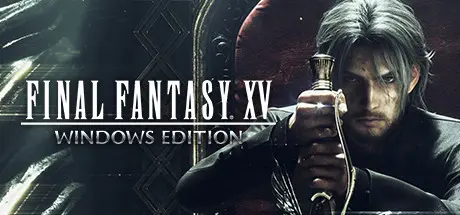
FINAL FANTASY XV WINDOWS EDITION Free Download (Build 1261414 + EPISODE ARDYN DLC)
Featured Replies

header.webp

Game Details

Release Name:ย FINAL FANTASY XV WINDOWS EDITION

Game Version:ย Build 1261414

Release Date: 6 Mar, 2018

Publisher: Square Enix

Developer: Square Enix

Based On:ย CODEX

FINAL FANTASY XV WINDOWS EDITION Direct Download - Game Review

Get ready to be at the centre of the ultimate fantasy adventure, now for Windows PC.

Joined by your closest friends on the roadtrip of a lifetime through a breathtaking open world, witness stunning landscapes and encounter larger-than-life beasts on your journey to reclaim your homeland from an unimaginable foe.

In an action-packed battle system, channel the power of your ancestors to warp effortlessly through the air in thrilling combat, and together with your comrades, master the skills of weaponry, magic and team-based attacks.

Now realised with the power of cutting-edge technology for Windows PCs, including support for high-resolution displays and HDR10, the beautiful and carefully-crafted experience of FINAL FANTASY XV can be explored like never before.

Includes all of the exciting content released as part of continuous game updates (Chapter 13 alternate route, off-road Regalia customisation, character swap feature and more!). And comes with all of content released in the Season Pass - Episode Gladiolus, Episode Prompto, Multiplayer Expansion: Comrades, and Episode Ignis
Get ready to be at the centre of the ultimate fantasy adventure.


Game Screenshots

screenshot screenshot screenshot screenshot


Game Trailer


System Requirements

Minimum Requirements

Recommended Requirements

OS

Windowsยฎ 7 SP1/ Windowsยฎ 8.1 / Windowsยฎ 10 64-bit

Windowsยฎ 7 SP1/ Windowsยฎ 8.1 / Windowsยฎ 10 64-bit

Processor

Intelยฎ Coreโ„ข i5-2500๏ผˆ3.3GHz and above๏ผ‰/ AMD FXโ„ข-6100 ๏ผˆ3.3GHz and above๏ผ‰

Intelยฎ Coreโ„ข i7-3770๏ผˆ3.4GHz and above๏ผ‰/ AMD FXโ„ข-8350๏ผˆ4.0 GHz and above๏ผ‰

Memory

8 GB RAM

16 GB RAM

Graphics

NVIDIAยฎ GeForceยฎ GTX 760 / NVIDIAยฎ GeForceยฎ GTX 1050 / AMD Radeonโ„ข R9 280

NVIDIAยฎ GeForceยฎ GTX 1060 6 GB VRAM / Radeonโ„ข RX 480

DirectX

Version 11

Version 11

Storage

100 GB available space

100 GB available space


Installation Guide

  1. No Installation Needed: The game is pre-installed. Just download and extract.

  2. Extract: Right-click the .zip or .rar file and select "Extract Here" or "Extract to folder".

  3. Run: Find ffxv_s.exe inside the folder and run it.

Important Notes

DLC List

Added DLCs

FINAL FANTASY XV EPISODE ARDYN

๐Ÿ”ฅDOWNLOAD AREA๐Ÿ”ฅ

๐Ÿ”น98.95 GB๐Ÿ”น

Select the server you want to download with ZeiLink.

Game Not Work Windows 11!

Download

  • 2 months later...
  • Replies 2
  • Views 3.5k
  • Created
  • Last Reply

Top Posters In This Topic

Most Popular Posts

  • The game doesn't work at all, i tried everything but it keep Launching without entering the game, please fix the problem ๐Ÿ™

Posted Images

The game doesn't work at all, i tried everything but it keep Launching without entering the game, please fix the problem ๐Ÿ™

Edited by QUIERU

  • DicDale changed the title to FINAL FANTASY XV WINDOWS EDITION Free Download (Build 1261414 + EPISODE ARDYN DLC)

Create an account or sign in to comment

Recently Browsing 0

  • No registered users viewing this page.

Account

Navigation

Search

Search

๐Ÿ”Ž Search Tip
For exact results, search using "game name" .
Without quotes, results may include unrelated titles.

Configure browser push notifications

Chrome (Android)
  1. Tap the lock icon next to the address bar.
  2. Tap Permissions โ†’ Notifications.
  3. Adjust your preference.
Chrome (Desktop)
  1. Click the padlock icon in the address bar.
  2. Select Site settings.
  3. Find Notifications and adjust your preference.