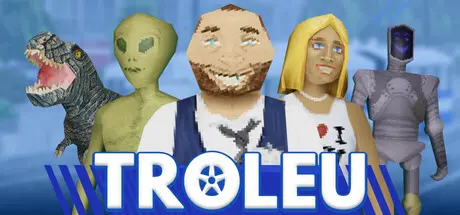
September 16, 2025Sep 16 TROLEU Game DetailsRelease Name: TROLEUGame Version: v1.0.0 | Build 19987935Release Date: 15 Sep, 2025Publisher: CRITICAL REFLEXDeveloper: andrgroundBased On: CSF & GoldbergTROLEU Direct Download - Game OverviewEmbark on a wild ride in TROLEU, a wacky first-person action game where you step into the shoes of a trolleybus conductor. Experience the bizarre yet oddly captivating routine of public transportation, where ensuring passengers' travel validity becomes your top priority. Welcome aboard, where the everyday becomes extraordinary, and getting off at next stop isn't an option since now you're the one in charge!TROLEU Screenshots TROLEU System Requirements Minimum RequirementsRecommended Requirements OSWindows 10 or 11Windows 10 or 11 ProcessorIntel Core i3-550 or AMD Phenom II X4 965Intel Core i3-4170 or AMD FX-6350 Memory4 GB RAM8 GB RAM GraphicsNVIDIA GeForce GTS 450, 1 GB or AMD Radeon HD 5770, 1 GB or Intel HD Graphics 630NVIDIA GeForce GTX 750 Ti, 2 GB or AMD Radeon HD 7850, 2 GB or Intel Arc A380, 6 GB DirectX-- Storage2 GB available space2 GB available space How to Install TROLEUNo Installation Needed: The game is pre-installed. Just download and extract.Extract: Right-click the .zip or .rar file and select "Extract Here" or "Extract to folder".Run: Find TROLEU.exe inside the folder and run it.Game Data & SettingsChange Language: Edit the file located at steam_settings/Configs.user.iniSave Data Location: %USERPROFILE%/AppData/LocalLow/\andrground\TROLEUImportant NotesTo support the Game Developer, Get It On Steam.🔥DOWNLOAD AREA🔥🔹478 MB🔹Select the server you want to download with ZeiLink.Download





Create an account or sign in to comment