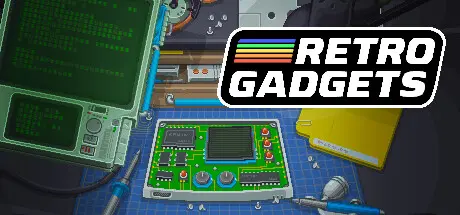
September 12, 2025Sep 12 Retro Gadgets Game DetailsRelease Name: Retro GadgetsGame Version: v0.1.9 | Build 14560665Release Date: 30 Nov, 2022Publisher: Licorice ehfDeveloper: Licorice ehf, Studio EvilBased On: CSF & GoldbergRetro Gadgets Direct Download - Game Overview You look up from your cosy little workbench. It's dark out, what time is it? It doesn't matter; you've been in the flow and are adding the final touches to your latest retro gadget. Just one more line of code, a spray of paint here, a sticker there – it's done. You power it on... The start-up sound kicks in... the needles on the gauges flutter, and the screen lights up... it's glorious. It's ready to share with the world. Now, all it needs is a name.Feel the exhilaration of building your own eye-popping real-working gadgets. Lose yourself as you build, solder, code, customise, and play with electrifying gadgets at your relaxing workbench. Build video game consoles, weather machines, lightboards, radios, drum machines... any gadget you can think of. What will you come up with next?Retro Gadgets gives you the power to invent! Solder circuit boards, add buttons and switches, speakers and lights, connect and code CPUs, audio and video chips, flick the on button and see your gadget come to life. You have the vision, you can build the gadgets!Check out gadgets made by people all over the world. Download any gadget, play with it, take it apart, see how it works, build your own version. Is the world ready for your awesome gadget?Tinker, test and lose track of time at your friendly pixel art workbench. Everything feels tactile and satisfying to use. Open drawers to find what you need. Solder and paint. Print and place stickers with tweezers. Connect parts with magnets. Twist knobs, tap buttons, flick switches. Trust us, you've never played anything like this!Make your gadgets feel truly personal. Connect boards to make new shapes. Spray components with different colours. Design and use stencils to create unique designs. Draw, print, and apply your own stickers. Or upload a logo for that more professional touch!You've built your gadget, now it's time to code! Write and debug your own code in our Lua coding environment, or upload it directly to the CPU. Program games, live weather stations, drum machines, cameras, video players, radios... the possibilities are endless.We know what it's like - you're busy spray painting your latest masterpiece, when BOOM, inspiration hits and a new idea flashes into your mind. Well, simply store your gadget in the archive drawer, pull out an old gadget to work on and fix, or start a whole new gadget. Make as many as you want!Your gadgets don't have to stay in Retro Gadgets, oh no! With the flick of a switch bring your gadgets to your computer desktop!Retro Gadgets Screenshots Retro Gadgets TrailerRetro Gadgets System Requirements Minimum RequirementsRecommended Requirements OSMicrosoft Windows 8 / 8.1 / 10 (64 bit)Microsoft Windows 10 (64 bit) / 11 ProcessorIntel Core2Duo 2GHz or AMD equivalent (or better)Intel Core i5 series or AMD equivalent (or better) Memory4 GB RAM8 GB RAM GraphicsIntel HD series 5000 (or better) or discrete video card512 MB DirectX 9.0c compatible graphics card (shader model 4) DirectXVersion 9.0cVersion 9.0c Storage300 MB available space300 MB available space How to Install Retro GadgetsNo Installation Needed: The game is pre-installed. Just download and extract.Extract: Right-click the .zip or .rar file and select "Extract Here" or "Extract to folder".Run: Find RG.exe inside the folder and run it.Game Data & SettingsChange Language: Edit the file located at steam_settings/Configs.user.iniSave Data Location: %USERPROFILE%/My Documents/My Games/RetroImportant NotesTo support the Game Developer, Get It On Steam.🔥DOWNLOAD AREA🔥🔹163 MB🔹Select the server you want to download with ZeiLink.Download





Create an account or sign in to comment