



Skip to content
View in the app

A better way to browse. Learn more.

ZeiGames

A full-screen app on your home screen with push notifications, badges and more.

To install this app on iOS and iPadOS
  1. Tap the Share icon in Safari
  2. Scroll the menu and tap Add to Home Screen.
  3. Tap Add in the top-right corner.
To install this app on Android
  1. Tap the 3-dot menu (โ‹ฎ) in the top-right corner of the browser.
  2. Tap Add to Home screen or Install app.
  3. Confirm by tapping Install.

Element TD 2 - Tower Defense Free Download (v1.9.5)
Featured Replies

header.webp

Game Details

Release Name:ย Element TD 2 - Tower Defense

Game Version:ย v1.9.5 | Build 19877484

Release Date: 2 Apr, 2021

Publisher: Element Studios

Developer: Element Studios

Based On:ย CSF & Goldberg

Element TD 2 - Tower Defense Direct Download - Game Review

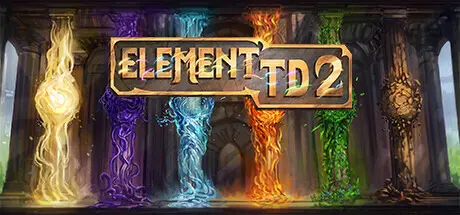
Element TD 2 is the culmination of 15 years of Tower Defense development, with the original mod having been downloaded over 5 million times across WarCraft 3, StarCraft 2 and Dota 2. With dozens of towers, alongside an array of maps to test your defenses, this is a feature-packed standalone sequel prepared to challenge Tower Defense players.


With 6 elements that combine to create 59 unique towers, you will need to anticipate incoming waves, their elements, and tailor your approach to maximize your defense. Each element has its own strengths and weaknesses, so choosing the right upgrade paths is crucial to winning.
Work with up to 8 players to synergize your elemental choices, tower upgrades, and plan your placements. Together you will withstand the enemy assault of ever increasing waves, culminating in an endless boss battle.There is also a cutthroat game of survival to play. Buckle down and turtle to outlast your opponents in the long run or go in hard and fast to rush them to their death. With both 8 player free-for-all and 1v1 ranked play, you have choices in how to compete with others.The singleplayer campaign currently spans 28 missions to put even the most experienced Tower Defense player to the test. Take on unique maps, enemies, and bosses in a challenging gauntlet that provides an experience never before seen in Element TD.

  • 59 Towers with unique abilities created through multiple elemental upgrade paths.

  • Co-op mode lets up to 8 players team up at once.

  • Campaign mode to hone your skills and survive against ever increasing challenges.

  • 6 Elements to empower your towers to create powerful diverse defenses.

  • 55 Waves to truly challenge your defenses, culminating in an endless boss.

  • 26 Maps with unique biomes to test your tactics on diverse layouts.

  • 10 Modifiers to significantly alter the gameplay to your liking.

  • Global servers allow for cross-region multiplayer.

  • Leaderboards to compete against other players for top score.

  • Replay support to showcase your victories and learn strategies from others.

  • Unlockable cosmetics allows you to customize your builder.

  • Hundreds of Achievements gives you an endless supply of challenges to beat.


Game Screenshots

screenshot screenshot screenshot screenshot


Game Trailer


System Requirements

Minimum Requirements

Recommended Requirements

OS

Windows 8

-

Processor

Dual Core 2.6+ GHz Intel or AMD

-

Memory

8 GB RAM

-

Graphics

1024 MB VRAM

-

DirectX

Version 11

-

Storage

15 GB available space

-


Installation Guide

  1. No Installation Needed: The game is pre-installed. Just download and extract.

  2. Extract: Right-click the .zip or .rar file and select "Extract Here" or "Extract to folder".

  3. Run: Find Element TD 2 - Tower Defense.exe inside the folder and run it.

Game Data & Settings

  • Change Language: Edit the file located at steam_settings/Configs.user.ini

  • Save Data Location: %USERPROFILE%/AppData/LocalLow/Element Studios/Element TD 2

Important Notes

๐Ÿ”ฅDOWNLOAD AREA๐Ÿ”ฅ

๐Ÿ”น4.41 GB๐Ÿ”น

Select the server you want to download with ZeiLink.

Download

  • DicDale changed the title to Element TD 2 - Tower Defense Free Download (v1.9.5)

  • Views 1k
  • Created
  • Last Reply

Posted Images

Create an account or sign in to comment

Recently Browsing 0

  • No registered users viewing this page.

Account

Navigation

Search

Search

๐Ÿ”Ž Search Tip
For exact results, search using "game name" .
Without quotes, results may include unrelated titles.

Configure browser push notifications

Chrome (Android)
  1. Tap the lock icon next to the address bar.
  2. Tap Permissions โ†’ Notifications.
  3. Adjust your preference.
Chrome (Desktop)
  1. Click the padlock icon in the address bar.
  2. Select Site settings.
  3. Find Notifications and adjust your preference.