



Skip to content
View in the app

A better way to browse. Learn more.

ZeiGames

A full-screen app on your home screen with push notifications, badges and more.

To install this app on iOS and iPadOS
  1. Tap the Share icon in Safari
  2. Scroll the menu and tap Add to Home Screen.
  3. Tap Add in the top-right corner.
To install this app on Android
  1. Tap the 3-dot menu (โ‹ฎ) in the top-right corner of the browser.
  2. Tap Add to Home screen or Install app.
  3. Confirm by tapping Install.

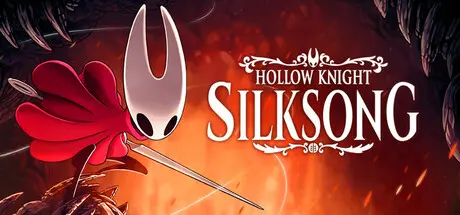
Hollow Knight: Silksong Free Download (v1.0.29980 + OST)
Featured Replies

header.webp

Game Details

Release Name:ย Hollow Knight: Silksong

Game Version:ย v1.0.29980 | Build 22428725

Release Date: 4 Sep, 2025

Publisher: Team Cherry

Developer: Team Cherry

Based On:ย CSF & Goldberg

Hollow Knight: Silksong Direct Download - Game Review

As the lethal hunter Hornet, adventure through a kingdom ruled by silk and song! Captured and taken to this unfamiliar world, prepare to battle mighty foes and solve ancient mysteries as you ascend on a deadly pilgrimage to the kingdomโ€™s peak.

Hollow Knight: Silksong is the epic sequel to Hollow Knight, the award winning action-adventure. Journey to all-new lands, discover new powers, battle vast hordes of bugs and beasts and uncover secrets tied to your nature and your past.


Game Screenshots

screenshot screenshot screenshot screenshot


Game Trailer


System Requirements

Minimum Requirements

Recommended Requirements

OS

Windows 10 version 21H1 (build 19043) or newer

Windows 10 version 21H1 (build 19043) or newer

Processor

Intel Core i3-3240, AMD FX-4300

Intel Core i5-3470

Memory

4 GB RAM

8 GB RAM

Graphics

GeForce GTX 560 Ti (1GB), Radeon HD 7750 (1GB)

GeForce GTX 1050 (2GB), Radeon R9 380 (2GB)

DirectX

Version 10

Version 10

Storage

8 GB available space

8 GB available space


Installation Guide

  1. No Installation Needed: The game is pre-installed. Just download and extract.

  2. Extract: Right-click the .zip or .rar file and select "Extract Here" or "Extract to folder".

  3. Run: Find Hollow Knight: Silksong.exe inside the folder and run it.

Game Data & Settings

  • Change Language: Edit the file located at steam_settings/Configs.user.ini

  • Save Data Location: %USERPROFILE%/AppData/LocalLow/Team Cherry/Hollow Knight Silksong/{Steam3AccountID}

Important Notes

๐Ÿ”ฅDOWNLOAD AREA๐Ÿ”ฅ

๐Ÿ”น4.24 GB๐Ÿ”น

Select the server you want to download with ZeiLink.

Download

  • Replies 5
  • Views 20.8k
  • Created
  • Last Reply

Top Posters In This Topic

Posted Images

  • 1 month later...

@DicDale

At one stage of the game, specifically where the seamstress is, I get a black screen and I can't fix it. I would like a solution without having to delete the game.

On 23/10/2025 at 19:14, DicDale said:

This is an issue on your end, there is no problem with the game or the files.

@DicDale

I play it on Linux by opening it with Wine. Could that be the problem, or does it normally work on Linux too?

On 10/27/2025 at 11:25 AM, Moha said:

@DicDale

I play it on Linux by opening it with Wine. Could that be the problem, or does it normally work on Linux too?

if u create dummy accounts on steam and add it on non steam game and you launch it with experimental ?

  • DicDale changed the title to Hollow Knight: Silksong Free Download (v1.0.29980 + OST)

Create an account or sign in to comment

Recently Browsing 0

  • No registered users viewing this page.

Account

Navigation

Search

Search

๐Ÿ”Ž Search Tip
For exact results, search using "game name" .
Without quotes, results may include unrelated titles.

Configure browser push notifications

Chrome (Android)
  1. Tap the lock icon next to the address bar.
  2. Tap Permissions โ†’ Notifications.
  3. Adjust your preference.
Chrome (Desktop)
  1. Click the padlock icon in the address bar.
  2. Select Site settings.
  3. Find Notifications and adjust your preference.