



Theme
Language

Layout
Skip to content
View in the app

A better way to browse. Learn more.

ZeiGames

A full-screen app on your home screen with push notifications, badges and more.

To install this app on iOS and iPadOS
  1. Tap the Share icon in Safari
  2. Scroll the menu and tap Add to Home Screen.
  3. Tap Add in the top-right corner.
To install this app on Android
  1. Tap the 3-dot menu (โ‹ฎ) in the top-right corner of the browser.
  2. Tap Add to Home screen or Install app.
  3. Confirm by tapping Install.

The Riftbreaker (Build 22623738 + ALL DLC + Online)
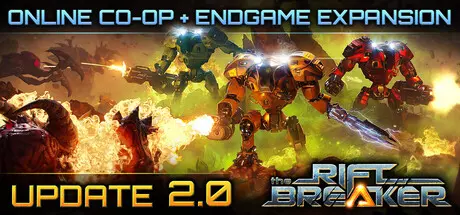
The Riftbreaker

Featured Replies

The Riftbreaker cover art

The Riftbreaker Game Details

Release Name:ย The Riftbreaker

Game Version:ย Build 22623738

Release Date: 14 Oct, 2021

Publisher: EXOR Studios, Surefire.Games

Developer: EXOR Studios

Based On:ย CSF & Goldberg

The Riftbreaker Free Download - Game Overview

Your task is to construct a two-way rift back to Earth. It is a very complex invention and requires enormous amounts of energy. Simple solar collectors and a few tons of steel will not be enough. You will need to build up a complex chain of mines, refineries, powerplants and research facilities to complete this mission.

Your presence on this planet will not go unnoticed. As you build up your industry and disrupt the natural order, the world will start seeing you as a threat. Build up your defenses. Construct walls, barriers and defense towers as the attacks get stronger with every passing day. You will face thousands of hostile creatures trying to eliminate your presence.

Galatea 37 is an unknown planet in the Sycorax belt of the Milky Way galaxy. Long distance surveys detected that it is inhabitable and perfect for colonization. The planet is full of rare minerals and substances that can be found in various locations around the globe. Varied biomes can surprise you with unknown fauna and flora as well as harsh weather conditions. Construct local outposts in resource-rich locations that will transport the required resources using rift technology.

You play the role of captain Ashley S. Nowak - you are the Riftbreaker, an elite scientist/commando inside a powerful Mecha-Suit. Enter a one-way portal to Galatea 37, a distant planet at the far reaches of the Milky Way Galaxy, with the purpose of building up a base that will allow travel back to Earth and further colonization. Ashley's Mecha-suit, which she calls "Mr. Riggs", can withstand the harshest environmental conditions and has a full range of equipment for base construction, resource extraction, gathering specimens and of course - combat. It is capable of traveling through rifts that connect space across vast distances.

Take on an epic journey across all the different biomes of Galatea 37. You will establish multiple persistent bases across the globe that will fuel your economy. Research alien substances and lifeforms, as well as fight hordes of alien creatures, clearly not happy with your interference in the natural order of the planet. The campaign spans multiple hours and offers a remarkable degree of freedom in a super detailed, procedurally generated world. You can decide on the order of your priorities and what technologies you want to use. Youโ€™re the only human there, after all.


The Riftbreaker Screenshots

The Riftbreaker screenshot 1 The Riftbreaker screenshot 2 The Riftbreaker screenshot 3 The Riftbreaker screenshot 4


The Riftbreaker Trailer


The Riftbreaker System Requirements

Minimum Requirements

Recommended Requirements

OS

Windows 8.1

Windows 10

Processor

Intel i5 gen 2 or AMD Bulldozer {4 cores)

Intel i7 gen 2 or AMD Ryzen

Memory

8 GB RAM

12 GB RAM

Graphics

Nvidia GTX 750 2GB or AMD R7 265 2GB

Nvidia RTX 2080 8GB or AMD Radeon 6800

DirectX

Version 11

Version 11

Storage

12 GB available space

12 GB available space


How to Install The Riftbreaker

  1. No Installation Needed: The game is pre-installed. Just download and extract.

  2. Extract: Right-click the .zip or .rar file and select "Extract Here" or "Extract to folder".

  3. Run: Find bin/riftbreaker_win_release.exe inside the folder and run it.

Multiplayer & Online (Optional)

  • Play Online: Download the Online Fix file and apply it to the game folder.

Game Data & Settings

  • Change Language: Edit the file located at steam_settings/Configs.user.ini

  • Save Data Location: %USERPROFILE%/My Documents/The Riftbreaker/

Important Notes

DLC List

Added DLCs

The Riftbreaker: Heart of the Swamp

The Riftbreaker: Into the Dark

The Riftbreaker: Metal Terror

๐Ÿ”ฅDOWNLOAD AREA๐Ÿ”ฅ

๐Ÿ”น12.52 GB๐Ÿ”น

Select the server you want to download with ZeiLink.

Download

Online Fix

  • DicDale changed the title to The Riftbreaker (Build 22623738 + ALL DLC + Online)

  • Views 2.2k
  • Created
  • Last Reply

Posted Images

Create an account or sign in to comment

Recently Browsing 0

  • No registered users viewing this page.

Account

Navigation

Search

Search

๐Ÿ”Ž Search Tip
For exact results, search using "game name" .
Without quotes, results may include unrelated titles.

Configure browser push notifications

Chrome (Android)
  1. Tap the lock icon next to the address bar.
  2. Tap Permissions โ†’ Notifications.
  3. Adjust your preference.
Chrome (Desktop)
  1. Click the padlock icon in the address bar.
  2. Select Site settings.
  3. Find Notifications and adjust your preference.