



Skip to content
View in the app

A better way to browse. Learn more.

ZeiGames

A full-screen app on your home screen with push notifications, badges and more.

To install this app on iOS and iPadOS
  1. Tap the Share icon in Safari
  2. Scroll the menu and tap Add to Home Screen.
  3. Tap Add in the top-right corner.
To install this app on Android
  1. Tap the 3-dot menu (โ‹ฎ) in the top-right corner of the browser.
  2. Tap Add to Home screen or Install app.
  3. Confirm by tapping Install.

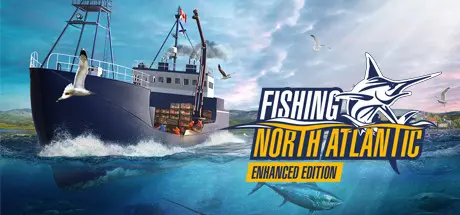
Fishing: North Atlantic - Enhanced Edition Free Download (v1.8.1145 + ALL DLC)
Featured Replies

header.webp

Game Details

Release Name:ย Fishing: North Atlantic - Enhanced Edition

Game Version: v1.8.1145 | Build 13562731

Release Date: 16 Oct, 2020

Publisher: Misc Games

Developer: Misc Games

Based On:ย CSF & Goldberg

Fishing: North Atlantic - Enhanced Edition Direct Download - Game Review

The sequel to the popular simulation game Fishing: Barents Sea invites you to put on your captainโ€™s hat once again: Explore the large ocean of Nova Scotia, try your hand at entirely new fishing methods and enjoy huge range of highly detailed ships in the commercial fishing simulator Fishing: North Atlantic.

Discover majestic world of Canadian Nova Scotia while admiring the vast diversity of ocean life. Explore the fishing zones with upgradable ships and gear as you progress in your career.

Like our predecessor game Fishing Barents Sea, Fishing: North Atlantic makes you experience an atmospheric and realistic game world based on real maps, boats and fish species. Get ready to enjoy new weather systems with upgraded atmospheric effects, North American Vessels and fishing techniques like harpoons, deep-line-buoy-fishing and lobster pots. Purchasing larger boats and better gear will increase your fisherman skills.

Fishing: North Atlantic offers you 29 ships at your disposal for all types of fishing styles and fishing techniques like the harpooning, which is used to hunt swordfish and tuna. Start with harpooning, then work your way up to setting deep lines, catching snow crabs or lobster. As well as longline, net and trawling. Do you have what it takes to fulfill this challenging task?

Plan the course of your fishing career throughout the whole year: Brave rain and snow while looking for the best fishing areas, but make sure that you are not in danger of exceeding your quotas! The new advanced fish-AI will require the use of GPS and sonar to follow the movement of your prey depending on weather and season.


Game Screenshots

screenshot screenshot screenshot screenshot


Game Trailer


System Requirements

Minimum Requirements

Recommended Requirements

OS

Windows 8.1 64-bit

Windows 10 64-bit

Processor

3 GHz Dual Core

Quad-Core Processor with 3 GHz or better recommended

Memory

4 GB RAM

8 GB RAM

Graphics

DirectX 11 compatible graphics card with 2 GB VRAM (Nvidia Geforce GTX 750 or better or comparable AMD card)

DirectX 12 compatible graphics card with 3 GB+ RAM (Nvidia Geforce GTX 1060 or better or comparable AMD card)

DirectX

Version 11

Version 12

Storage

12 GB available space

12 GB available space


Installation Guide

  1. No Installation Needed: The game is pre-installed. Just download and extract.

  2. Extract: Right-click the .zip or .rar file and select "Extract Here" or "Extract to folder".

  3. Run: Find FNA.exe inside the folder and run it.

Game Data & Settings

  • Change Language: FNA\Config\DefaultGameUserSettings.ini "Culture=en"

  • Save Data Location: %USERPROFILE%/AppData/Local/FNA/Saved/SaveGames

Important Notes

DLC List

Added DLCs

Fishing: North Atlantic - A.F. Theriault

Fishing: North Atlantic - Scallop (Fishing: North Atlantic - Scallops Expansion)

๐Ÿ”ฅDOWNLOAD AREA๐Ÿ”ฅ

๐Ÿ”น11.50 GB๐Ÿ”น

Select the server you want to download with ZeiLink.

Download

  • Views 1.2k
  • Created
  • Last Reply

Posted Images

Create an account or sign in to comment

Recently Browsing 0

  • No registered users viewing this page.

Account

Navigation

Search

Search

๐Ÿ”Ž Search Tip
For exact results, search using "game name" .
Without quotes, results may include unrelated titles.

Configure browser push notifications

Chrome (Android)
  1. Tap the lock icon next to the address bar.
  2. Tap Permissions โ†’ Notifications.
  3. Adjust your preference.
Chrome (Desktop)
  1. Click the padlock icon in the address bar.
  2. Select Site settings.
  3. Find Notifications and adjust your preference.
