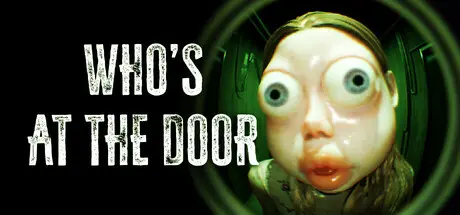
August 31, 20251 yr Who's at the door? Game DetailsRelease Name: Who's at the door?Game Version: v1.0.1 | Build 19269975Release Date: 18 Jul, 2025Publisher: SKONEC EntertainmentDeveloper: SKONEC EntertainmentBased On: CSF & GoldbergWho's at the door? Direct Download - Game OverviewThe story doesn't end with just one playthrough.Replay the game to find hidden doll pieces.Each piece is a key that brings you closer to the truth.There are three main endings. And when all pieces are collected, the true final ending is unlocked.Who's at the Door? is a short psychological horror game inspired by surreal titles like The Exit 8. It offers roughly 60–120+ minutes of immersive gameplay, letting players experience the world of a patient suffering from hallucinations.Who's at the door? Screenshots Who's at the door? TrailerWho's at the door? System Requirements Minimum RequirementsRecommended Requirements OSWindows 10 64-bitWindows 10 / 11 (64-bit) ProcessorIntel i5 or AMD Ryzen 5 from around 2016 or laterIntel i5 or AMD Ryzen 7 from around 2018 or later Memory4 GB RAM8 MB RAM GraphicsDirectX 11 Feature Level AMD or NVIDIA Card with 1 GB VRAMDirectX 12 Feature Level AMD or NVIDIA Card with 4 GB VRAM DirectXVersion 11Version 12 Storage2 GB available space2 GB available space How to Install Who's at the door?No Installation Needed: The game is pre-installed. Just download and extract.Extract: Right-click the .zip or .rar file and select "Extract Here" or "Extract to folder".Run: Find WhoDoor.exe inside the folder and run it.Game Data & SettingsChange Language: Edit the file located at steam_settings/Configs.user.iniSave Data Location: %USERPROFILE%/AppData/Local/WhoDoor/Saved/SaveGames/Important NotesTo support the Game Developer, Get It On Steam.🔥DOWNLOAD AREA🔥🔹1.7 GB🔹Select the server you want to download with ZeiLink.Download





Create an account or sign in to comment