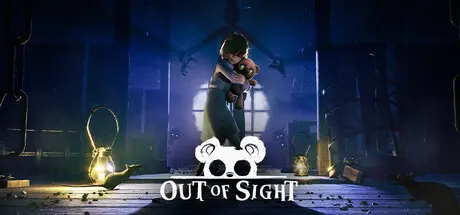
August 31, 20251 yr Out of Sight Game DetailsRelease Name: Out of SightGame Version: Build 18594713Release Date: 22 May, 2025Publisher: The GangDeveloper: The GangBased On: CSF & GoldbergOut of Sight Direct Download - Game OverviewYou’re Sophie, a young blind girl who sees through her teddy bear’s eyes. Escape your captors and uncover the evil history of the dark mansion you desperately seek to escape in this unique, atmospheric horror puzzle/adventure game.Follow Sophie and Teddy through the dark mansion and make use of the unique second-person perspective to avoid dangers and see your way forward!Out of Sight Screenshots Out of Sight TrailerOut of Sight System Requirements Minimum RequirementsRecommended Requirements OSWindows 10- Processor4 hardware CPU Threads Intel® Core™ i5 750 or higher- Memory8 GB RAM- GraphicsNVIDIA GeForce GTX 1060, AMD Radeon RX 470, or better- DirectXVersion 12- Storage5 GB available space- How to Install Out of SightNo Installation Needed: The game is pre-installed. Just download and extract.Extract: Right-click the .zip or .rar file and select "Extract Here" or "Extract to folder".Run: Find OutofSight.exe inside the folder and run it.Game Data & SettingsChange Language: Edit the file located at steam_settings/Configs.user.iniSave Data Location: %USERPROFILE%/AppData/Local/OutOfSight/SavedImportant NotesTo support the Game Developer, Get It On Steam.🔥DOWNLOAD AREA🔥🔹4.27 GB🔹Select the server you want to download with ZeiLink.Download





Create an account or sign in to comment