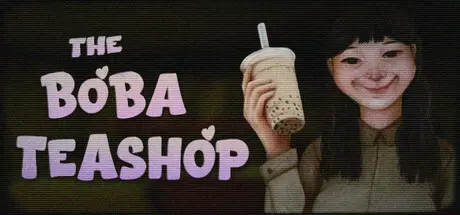
August 31, 20251 yr The Boba Teashop Game DetailsRelease Name: The Boba TeashopGame Version: Build 18220536Release Date: 20 Apr, 2025Publisher: Mike TenDeveloper: Mike TenBased On: CSF & GoldbergThe Boba Teashop Direct Download - Game OverviewThe Boba Teashop is a cozy horror game where you own and manage a boba tea shop.You play as Risa, a woman in her 30s who is tired of corporate life and has decided to chase her dream of opening a boba tea shop.As a boba tea shop owner, you will encounter a variety of customers. Your job is to greet them with a smile and take their orders.Making boba tea is simple. The ingredients are just milk tea and boba. Seal the cup with a lid and serve it with a straw for sipping and enjoying the boba pearls.The Boba Teashop Screenshots The Boba Teashop TrailerThe Boba Teashop System Requirements Minimum RequirementsRecommended Requirements OSWindows 10 or newerWindows 10 or newer Processor2.6 GHz or better3.2 GHz or better Memory8 GB RAM16 GB RAM GraphicsGTX 750ti or betterGTX 950 or better DirectXVersion 12Version 12 Storage1 GB available space1 GB available space How to Install The Boba TeashopNo Installation Needed: The game is pre-installed. Just download and extract.Extract: Right-click the .zip or .rar file and select "Extract Here" or "Extract to folder".Run: Find The Boba Teashop.exe inside the folder and run it.Game Data & SettingsChange Language: Edit the file located at steam_settings/Configs.user.iniSave Data Location: [Steam Library]/steamapps/common/TheBobaTeashop/savefilesImportant NotesTo support the Game Developer, Get It On Steam.🔥DOWNLOAD AREA🔥🔹490.11 MB🔹Select the server you want to download with ZeiLink.Download





Create an account or sign in to comment