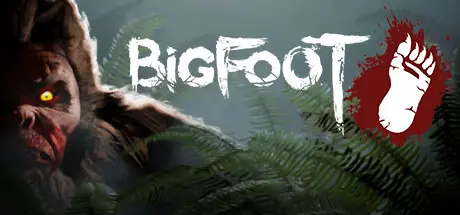
August 27, 20251 yr BIGFOOT Game DetailsRelease Name: BIGFOOTGame Version: v5.1.1 | Build 12663725Release Date: 31 Jan, 2017Publisher: CyberLight Game StudioDeveloper: CyberLight Game StudioBased On: CSF & FreeTPBIGFOOT Direct Download - Game OverviewBIGFOOT is a survival horror game about hunting Bigfoot. There are 2 modes available: you can play against Bigfoot controlled by AI, or another player can play as the monster.Eyewitnesses often mention its enormous size, incredible strength, and elusiveness. For many years, researchers searched for him, but no one could provide evidence of his existence.You are a Bigfoot hunter with an important mission: to put an end to rumours once and for all and prove to yourself that Bigfoot is not just a myth or an invention of the mind... His existence is real, real enough to make your blood run cold. Collect ammunition, study the terrain, and defend yourself from predators. You must use everything available to you to avoid becoming the bottom link of the food chain and to survive the wilderness of the American wildlife sanctuaries.BIGFOOT Screenshots BIGFOOT TrailerBIGFOOT System Requirements Minimum RequirementsRecommended Requirements OSWindows 7, 8.1, 10, 11 (Only 64bit)Windows 10, 11 (Only 64bit) ProcessorIntel i3 8130U(2Cores, 2.3GHz) or equivalentIntel Core i7 (64bit) or equivalent Memory2 GB RAM4 GB RAM GraphicsNVIDIA GeForce GT 730 or equivalentNVIDIA GeForce GTX 980 or equivalent DirectXVersion 11Version 11 Storage10 GB available space10 GB available space How to Install BIGFOOTNo Installation Needed: The game is pre-installed. Just download and extract.Extract: Right-click the .zip or .rar file and select "Extract Here" or "Extract to folder".Run: Sign in Steam Account and find BIGFOOT.exe inside the folder and run it.Game Data & SettingsChange Language: Edit the file located at SteamFix.iniSave Data Location: /FreeTP/Important NotesTo support the Game Developer, Get It On Steam.DLC ListAdded DLCsBIGFOOT - WEAPON SKINS "Toxic Lizard"BIGFOOT - WEAPON SKINS "Patriot"BIGFOOT - WEAPON SKINS "Gold Rush"BIGFOOT - SKIN "MONKEY KING"BIGFOOT - SKIN "DRUID"BIGFOOT - WEAPON SKINS "BLOODY GHOST"BIGFOOT - WEAPON SKINS "DESERT"BIGFOOT - WEAPON SKINS "ARCTIC"🔥DOWNLOAD AREA🔥🔹3.60 GB🔹Select the server you want to download with ZeiLink.Download





Create an account or sign in to comment