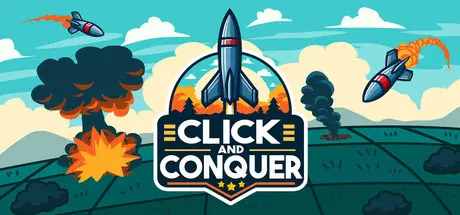
August 23, 20251 yr Click and Conquer Game DetailsRelease Name: Click and ConquerGame Version: v1.3 | Build 19576389Release Date: 25 Jun, 2025Publisher: SOCKHOUSE STUDIOSDeveloper: SOCKHOUSE STUDIOSBased On: CSF & GoldbergClick and Conquer Direct Download - Game OverviewClick and Conquer is a short, relaxing incremental experience. Drop bombs on a grid of hidden enemies and use the rewards you earn to increase your power.Drop bombs onto concealed enemies to earn currency.Spend your currency to boost passive income, increase bombing power, and unlock new maps.Explore over 12 maps of increasing size and reward as you expand your bombing campaign.Prestige and reset your progress in exchange for powerful, permanent upgrades—including a devastating nuclear bomb.Satisfying incremental progression.A short relaxing experience. (~2-4 hour to complete)2 skill trees to progress through and upgrade your abilities and economy.12 maps to unlock and level up.Click and Conquer Screenshots Click and Conquer TrailerClick and Conquer System Requirements Minimum RequirementsRecommended Requirements OS1010 Processor2 GHz2 GHz Memory2 GB RAM2 GB RAM GraphicsOpenGL 3.3 compatibleOpenGL 3.3 compatible DirectX-- Storage150 MB available space150 MB available space How to Install Click and ConquerNo Installation Needed: The game is pre-installed. Just download and extract.Extract: Right-click the .zip or .rar file and select "Extract Here" or "Extract to folder".Run: Find Click and Conquer.exe inside the folder and run it.Game Data & SettingsChange Language: Edit the file located at steam_settings/Configs.user.iniSave Data Location: %USERPROFILE%/AppData/Roaming/Godot/app_userdata/Click and ConquerImportant NotesTo support the Game Developer, Get It On Steam.🔥DOWNLOAD AREA🔥🔹92 MB🔹Select the server you want to download with ZeiLink.Download





Create an account or sign in to comment