



Skip to content
View in the app

A better way to browse. Learn more.

ZeiGames

A full-screen app on your home screen with push notifications, badges and more.

To install this app on iOS and iPadOS
  1. Tap the Share icon in Safari
  2. Scroll the menu and tap Add to Home Screen.
  3. Tap Add in the top-right corner.
To install this app on Android
  1. Tap the 3-dot menu (โ‹ฎ) in the top-right corner of the browser.
  2. Tap Add to Home screen or Install app.
  3. Confirm by tapping Install.

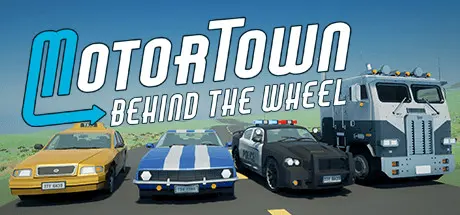
Motor Town: Behind The Wheel Free Download (v0.7.18+1 + Online)
Featured Replies

header.webp

Game Details

Release Name:ย Motor Town: Behind The Wheel

Game Version:ย v0.7.18+1 | Build 22774276

Release Date: 17 Dec, 2021

Publisher: P3 Games

Developer: P3 Games

Based On:ย CSF & Goldberg

Motor Town: Behind The Wheel Direct Download - Game Review

"Sometimes the best therapy is a long drive with music" Drive day & night, pick up hitchhikers, refuel, check engine temperature. Watch out for the cops! Taxi, Bus, Trucks and much more!

With sophisticated vehicle and tire physics, you can enjoy realistic and challenging driving. Feel the tire grip and burn some tires by drifting! If you are a keyboard player, don't forget to use 'Burnout' when you want to let the rear go sideways. Driving Assist is available for keyboard players and controllers are fully supported.

Enjoy solitude in single-player or have fun with friends in multiplayer mode. The online leaderboard shows you how fast you are. Autocross is a good way to improve your driving skills. You can compete with other players on the on-road and off-road tracks, or you can set waypoints and open a street race event.

  • Open world (24 x 16 Km) with Day & Night cycle

  • 50+ Cars, Trucks and Trailers

  • Driving with Keyboard, Mouse, Gamepad, Steering wheel

  • Realistic, yet easy (with the assist feature) driving

  • Single-player and Multiplayer Mode

  • Passenger Transportation (Hitchhikers, Taxi, Bus)

  • Cargo Transportation (Pickup, Trucks, Semi-Trailer)

  • Special Vehicle Jobs (Police, Tow Truck, Ambulance and more will be added)

  • Refueling

  • Replacing car parts

  • Buying/Renting cars

  • Blinker, Headlight, Horn, Driving Mode, and Auto-Pilot!

  • Race

  • Time attack

  • Autocross

  • Online leaderboards


Game Screenshots

screenshot screenshot screenshot screenshot


Game Trailer


System Requirements

Minimum Requirements

Recommended Requirements

OS

Windows 10

Windows 10 64-bit

Processor

Intel Core i5-4460 or AMD FX-8120

Intel Core i5-8600K or AMD Ryzen 5 2600X

Memory

4 GB RAM

8 GB RAM

Graphics

GeForce GTX 750 4GB, Radeon RX 460 4GB

GeForce GTX 1070 8 GB, Radeon RX 580 8GB

DirectX

Version 11

Version 11

Storage

5 GB available space

5 GB available space


Installation Guide

  1. No Installation Needed: The game is pre-installed. Just download and extract.

  2. Extract: Right-click the .zip or .rar file and select "Extract Here" or "Extract to folder".

  3. Run: Find MotorTown\Binaries\Win64\MotorTown-Win64-Shipping.exe inside the folder and run it.

Multiplayer & Online (Optional)

  • Play Online: Download the Online Fix file and apply it to the game folder.

Game Data & Settings

  • Change Language: Edit the file located at steam_settings/Configs.user.ini

  • Save Data Location: %USERPROFILE%/AppData/Local/MotorTown/Saved/SaveGames/

Important Notes

๐Ÿ”ฅDOWNLOAD AREA๐Ÿ”ฅ

๐Ÿ”น3.17 GB๐Ÿ”น

Select the server you want to download with ZeiLink.

Download

Online Fix - (RAR pass: rexagames.com)

  • 3 weeks later...
  • Replies 2
  • Views 8.1k
  • Created
  • Last Reply

Top Posters In This Topic

Posted Images

The online fix isn't working; it doesn't appear as if I'm playing Space War through Steam. I'd appreciate it if you could update it.

  • 7 months later...
On 12/27/2025 at 6:07 PM, DicDale said:

Game Updated v0.7.17 | Build 21278329

update maybe pls and thanks

  • DicDale changed the title to Motor Town: Behind The Wheel Free Download (v0.7.18+1 + Online)

Create an account or sign in to comment

Recently Browsing 0

  • No registered users viewing this page.

Account

Navigation

Search

Search

๐Ÿ”Ž Search Tip
For exact results, search using "game name" .
Without quotes, results may include unrelated titles.

Configure browser push notifications

Chrome (Android)
  1. Tap the lock icon next to the address bar.
  2. Tap Permissions โ†’ Notifications.
  3. Adjust your preference.
Chrome (Desktop)
  1. Click the padlock icon in the address bar.
  2. Select Site settings.
  3. Find Notifications and adjust your preference.