



Skip to content
View in the app

A better way to browse. Learn more.

ZeiGames

A full-screen app on your home screen with push notifications, badges and more.

To install this app on iOS and iPadOS
  1. Tap the Share icon in Safari
  2. Scroll the menu and tap Add to Home Screen.
  3. Tap Add in the top-right corner.
To install this app on Android
  1. Tap the 3-dot menu (โ‹ฎ) in the top-right corner of the browser.
  2. Tap Add to Home screen or Install app.
  3. Confirm by tapping Install.

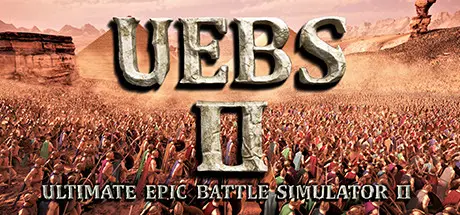
Ultimate Epic Battle Simulator 2 Free Download (v1.5)
Featured Replies

header.webp

Game Details

Release Name:ย Ultimate Epic Battle Simulator 2

Game Version:ย v1.5 | Build 17640858

Release Date: 21 Jul, 2023

Publisher: Brilliant Game Studios

Developer: Brilliant Game Studios

Based On:ย CSF & Goldberg

Ultimate Epic Battle Simulator 2 Direct Download - Game Review

Welcome to Ultimate Epic Battle Simulator 2, the most ridiculous and insane battle simulator in existence! Create eye watering battles with hundreds of thousands, and even millions of characters on screen! Sandbox mode has returned, with infinite army sizes and far greater flexibility than ever. Command your armies in RTS mode with full drag select army control, or get the job done yourself and play as any one of the units in 3rd or 1st person. Jump into multiple story and player driven campaigns featuring multiple genres!

Lets not ignore the elephant in the room! UEBS2 features revolutionary new crowd rendering and AI technology which uses pure GPU POWER to bring nation size battles to life! Witness the first game to fully utilize full GPU acceleration for every AI individual and all the technology behind the crowd tech. UEBS2 handles 100 times more characters on screen than its predecessor, and in far greater detail and quality. Details were not ignored, every individual has highly advanced decision making and animation, all while working together for a greater goal.


Game Screenshots

screenshot screenshot screenshot screenshot


Game Trailer


System Requirements

Minimum Requirements

Recommended Requirements

OS

Windows 8 And Up, 64 Bit. (Win 7 not supported!)

Windows 8 And Up, 64 Bit. (Win 7 not supported!)

Processor

Intel i5-4590 @ 3.3GHz (4th Generation) or AMD Ryzen 3 1200

Intel i5-6600 @ 3.3Ghz (6th Generation) or AMD Ryzen 5 1400

Memory

8 GB RAM

16 GB RAM

Graphics

3 GB graphics card - DX 11.1 compatible(See Steam forum for details)

6-8 GB graphics card - DX 11.1 compatible(See Steam forum for details)

DirectX

Version 11

Version 11

Storage

20 GB available space

20 GB available space


Installation Guide

  1. No Installation Needed: The game is pre-installed. Just download and extract.

  2. Extract: Right-click the .zip or .rar file and select "Extract Here" or "Extract to folder".

  3. Run: Find UEBS2.exe inside the folder and run it.

Game Data & Settings

  • Change Language: Edit the file located at steam_settings/Configs.user.ini

  • Save Data Location: /Ultimate Epic Battle Simulator 2/

Important Notes

๐Ÿ”ฅDOWNLOAD AREA๐Ÿ”ฅ

๐Ÿ”น19.19 GB๐Ÿ”น

Select the server you want to download with ZeiLink.

Download

  • 4 months later...
  • Replies 1
  • Views 1.1k
  • Created
  • Last Reply

Top Posters In This Topic

Most Helpful Posts

  • wolf42069
    wolf42069

    datavaults is the only link that works for me on this site and the one here isnt working

Posted Images

datavaults is the only link that works for me on this site and the one here isnt working

Create an account or sign in to comment

Recently Browsing 0

  • No registered users viewing this page.

Account

Navigation

Search

Search

๐Ÿ”Ž Search Tip
For exact results, search using "game name" .
Without quotes, results may include unrelated titles.

Configure browser push notifications

Chrome (Android)
  1. Tap the lock icon next to the address bar.
  2. Tap Permissions โ†’ Notifications.
  3. Adjust your preference.
Chrome (Desktop)
  1. Click the padlock icon in the address bar.
  2. Select Site settings.
  3. Find Notifications and adjust your preference.
