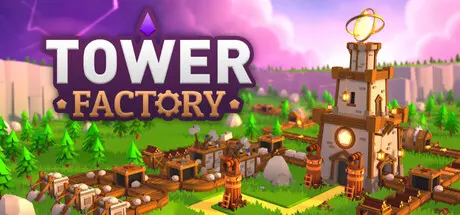
August 22, 20251 yr Tower Factory Game DetailsRelease Name: Tower FactoryGame Version: v0.3.3 | Build 19189288Release Date: 7 Nov, 2024Publisher: Gius CaminitiDeveloper: Gius CaminitiBased On: CSF & GoldbergTower Factory Direct Download - Game OverviewTower Factory is a game where you have to build a factory that allows you to create enough towers to defend yourself from enemies. You'll need to find and destroy the enemy castle before it becomes too powerful and its monsters overwhelm you!Create a factory from scratch in each game, gaining access to more resources and new buildings over time. How? With conveyor belts, indeed!Construct and upgrade suitable towers to fend off enemies who will come during the day but mostly... during the night!Clear the fog in search of the enemy castle, treasures, and (very importantly) more space to build!Tower Factory Screenshots Tower Factory TrailerTower Factory System Requirements Minimum RequirementsRecommended Requirements OSWindows 10 64bit- ProcessorIntel® Core™ i5-9600- Memory8 GB RAM- GraphicsGTX 970 4GB / Radeon RX580 4GB or better- DirectX-- Storage500 MB available space- How to Install Tower FactoryNo Installation Needed: The game is pre-installed. Just download and extract.Extract: Right-click the .zip or .rar file and select "Extract Here" or "Extract to folder".Run: Find TowerFactory.exe inside the folder and run it.Game Data & SettingsChange Language: Edit the file located at steam_settings/Configs.user.iniSave Data Location: %USERPROFILE%/AppData/LocalLow/GiusCaminiti/TowerFactory/files/SavedDataImportant NotesTo support the Game Developer, Get It On Steam.🔥DOWNLOAD AREA🔥🔹135 MB🔹Select the server you want to download with ZeiLink.Download





Create an account or sign in to comment