



Skip to content
View in the app

A better way to browse. Learn more.

ZeiGames

A full-screen app on your home screen with push notifications, badges and more.

To install this app on iOS and iPadOS
  1. Tap the Share icon in Safari
  2. Scroll the menu and tap Add to Home Screen.
  3. Tap Add in the top-right corner.
To install this app on Android
  1. Tap the 3-dot menu (โ‹ฎ) in the top-right corner of the browser.
  2. Tap Add to Home screen or Install app.
  3. Confirm by tapping Install.

Supercar Collection Simulator Free Download (Build 19925119)
Featured Replies

header.webp

Game Details

Release Name:ย Supercar Collection Simulator

Game Version:ย Build 19925119

Release Date: 8 Sep, 2025

Publisher: Kiki Games

Developer: Kiki Games

Based On:ย CSF & Goldberg

Supercar Collection Simulator Direct Download - Game Review

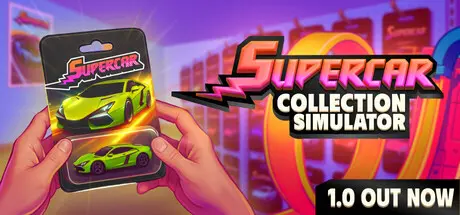
โ€œSupercar Collection Simulatorโ€ is a game where you can earn money by selling surprise car boxes, build your own car collection, join exciting races with customers, and play an online card trading game.

Unlock and sell packages from various Supercar series. Each series has its own unique advantages and rare cars.

Set up racing platforms in your store, offer players the opportunity to race, and earn money from these races. If you want, you can also take to the track! Use skill cards to give your cars unique abilities and leave your competitors behind.

Place your cars on shelves, set their prices, and sell them to collectors. Or keep rare pieces to complete your collection.

Design your own Supercar store. Unlock Supercar series, order surprise boxes, place them on shelves, and start selling. Give your store a unique name and create the perfect place for car collection enthusiasts.

Expand your collection with rare and valuable cars from surprise boxes. Sell them for profit or keep them to complete your collection.

Start selling skill card packs! These cards give you an advantage in races, making your cars faster and stronger.

Upgrade your store to attract more customers! Add new shelves, racing platforms, Supercar boxes, and collections to gain new customers and increase your income. Customize your store, change the floor and wall colors, decorate with posters, and more.

Enter the Hunt House to find the missing pieces in your collection. Race against time while searching through dozens of cars to find the one you need.

Choose a car, paint it, decorate it with stickers, design its card, give it a name, and put it up for sale. Enjoy the fun of creating your own custom car!


Game Screenshots

screenshot screenshot screenshot screenshot


Game Trailer


System Requirements

Minimum Requirements

Recommended Requirements

OS

Windows (64-bit) 10

Windows (64-bit) 10

Processor

Intel Core i5-2500 @ 3,3 GHz (4 CPUs)

Intel Core i7-11700K or AMD Ryzen 7 5800X

Memory

8 GB RAM

16 GB RAM

Graphics

NVidia GeForce GTX 1050

NVIDIA GeForce GTX 1660S, 6 GB or AMD Radeon RX 5600 XT, 6 GB

DirectX

Version 11

Version 11

Storage

5 GB available space

5 GB available space


Installation Guide

  1. No Installation Needed: The game is pre-installed. Just download and extract.

  2. Extract: Right-click the .zip or .rar file and select "Extract Here" or "Extract to folder".

  3. Run: Find Supercar Collection Simulator.exe inside the folder and run it.

Game Data & Settings

  • Change Language: Edit the file located at steam_settings/Configs.user.ini

  • Save Data Location: %USERPROFILE%/AppData/LocalLow/KikiGames\Supercar Collection Simulator\Saves\

Important Notes

๐Ÿ”ฅDOWNLOAD AREA๐Ÿ”ฅ

๐Ÿ”น1.88 GB๐Ÿ”น

Select the server you want to download with ZeiLink.

Download

  • Views 820
  • Created
  • Last Reply

Posted Images

Create an account or sign in to comment

Recently Browsing 0

  • No registered users viewing this page.

Account

Navigation

Search

Search

๐Ÿ”Ž Search Tip
For exact results, search using "game name" .
Without quotes, results may include unrelated titles.

Configure browser push notifications

Chrome (Android)
  1. Tap the lock icon next to the address bar.
  2. Tap Permissions โ†’ Notifications.
  3. Adjust your preference.
Chrome (Desktop)
  1. Click the padlock icon in the address bar.
  2. Select Site settings.
  3. Find Notifications and adjust your preference.
