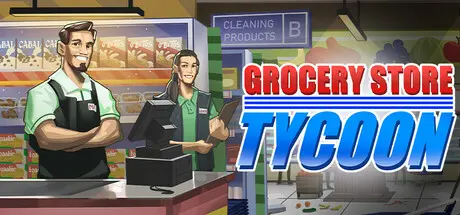
August 22, 20251 yr Grocery Store Tycoon Game DetailsRelease Name: Grocery Store TycoonGame Version: v0.9.4.1 | Build 22372104Release Date: 24 Jun, 2025Publisher: Spyder Lab GamingDeveloper: Spyder Lab GamingBased On: CSF & GoldbergGrocery Store Tycoon Direct Download - Game OverviewRun your store from the ground up in first-person or manage operations from above with a free camera. Stock shelves, operate the register, hire employees, and expand your business into a thriving retail operation.Jump behind the counter with the handheld scanner to clear long lines yourself, or rely on your staff to keep customers moving.Order inventory directly from your office tablet, manage supply and demand, and keep shelves stocked to maintain strong reviews and steady profits.Carry individual cases or use carts to move large quantitiesUtilize warehouse freezers, coolers, and dry storage efficientlyMaintain shelves and optimize store layoutAssign roles and wagesBalance happiness and performanceHandle absences and unreliable staffUnlock new item types and placeablesExpand storage and management toolsImprove efficiency and profitabilityReduce wait timesStock in-demand itemsAdjust pricing strategicallyGrocery Store Tycoon Screenshots Grocery Store Tycoon TrailerGrocery Store Tycoon System Requirements Minimum RequirementsRecommended Requirements OSWindows (64-bit) 10Windows (64-bit) 10 Processori5 3550 / RYZEN 3 1200Xi5 7600K / Ryzen 5 2600x Memory8 GB RAM16 GB RAM GraphicsNVIDIA GTX 1050 / AMD R9 270XNVIDIA GTX 1060 / AMD RX 480 DirectXVersion 11Version 11 Storage12 GB available space12 GB available space How to Install Grocery Store TycoonNo Installation Needed: The game is pre-installed. Just download and extract.Extract: Right-click the .zip or .rar file and select "Extract Here" or "Extract to folder".Run: Find Grocery Store Tycoon.exe inside the folder and run it.Game Data & SettingsChange Language: Edit the file located at steam_settings/Configs.user.iniImportant NotesTo support the Game Developer, Get It On Steam.🔥DOWNLOAD AREA🔥🔹3.47 GB🔹Select the server you want to download with ZeiLink.Download
May 28May 28 It says Grocery Store Tycoon.v0.9.4.0 in the file when you download it and not v0.9.4.1 which contains the latest hotfix. Edited May 28May 28 by itakerisks





Create an account or sign in to comment