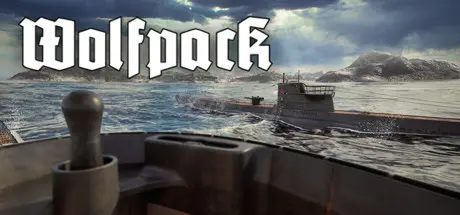
August 21, 20251 yr Wolfpack Game DetailsRelease Name: WolfpackGame Version: v0.26 | Build 9534533Release Date: 15 Mar, 2019Publisher: SUBSIMDeveloper: Usurpator ABBased On: CSF & GoldbergWolfpack Direct Download - Game OverviewWolfpack is a realistic, first person, co-op U-boat game where one or multiple crews of players man the stations of a highly detailed German type VII U-boat during the Second World War. The crew will encounter large randomized convoys of merchants escorted by destroyers, sloops, and corvettes. Their objective is to intercept and sink enemy ships and escape undetected. Each player mans a station in the U-boat, and the crew will need to cooperate in order to succeed in their mission. Unlike other submarine simulators, Wolfpack is designed for players to procedurally manage the submarine through direct, manual interaction with valves, levers, and instruments.Each U-boat has up to five players: The captain, the helmsman, the dive officer, the radio man, and the navigator.The radio man operates the hydrophone, radio, radio direction finder, and Enigma machine. The helmsman controls the U-boats heading and speed, and operates the torpedo data computer. The dive officer controls the depth using the dive planes, ballast and negative tanks and serves as a lookout and gunner for the deck gun and anti aircraft gun. The navigator calculates the position of the u-boat, and determines the best route to intercept enemy convoys. The captain is the commander of the U-boat, and leads the crew.Wolfpack also features a single player mode where one captain can easily manage his U-boat solo. Plus, it is easy to start a mission solo and allow other players to join the battle in their own subs as part of a wolfpack. The captains can use the U-boat radio to communicate with each other just like the real U-boats did.All stations and instruments in the U-boat are carefully modeled after original pictures and sources, and kept as realistic as possible without compromising usability. The game contains a fully operational torpedo data computer, manual navigation tools, and ship recognition manual.Wolfpack Screenshots Wolfpack TrailerWolfpack System Requirements Minimum RequirementsRecommended Requirements OSWindows 7, 8, or 10- Processor64 bit- Memory-- GraphicsDirect X 11 compliant card- DirectXVersion 11- Storage10 GB available space- How to Install WolfpackNo Installation Needed: The game is pre-installed. Just download and extract.Extract: Right-click the .zip or .rar file and select "Extract Here" or "Extract to folder".Run: Find Wolfpack.exe inside the folder and run it.Game Data & SettingsChange Language: Edit the file located at steam_settings/Configs.user.iniSave Data Location: */Wolfpack_Data/UserData/{64BitSteamID}Important NotesTo support the Game Developer, Get It On Steam.🔥DOWNLOAD AREA🔥🔹1.89 GB🔹Select the server you want to download with ZeiLink.Download





Create an account or sign in to comment