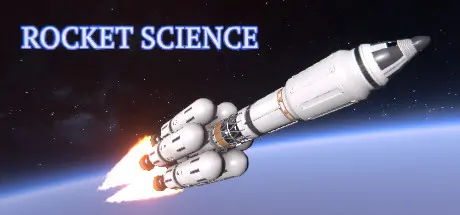
August 20, 20251 yr Rocket Science Game DetailsRelease Name: Rocket ScienceGame Version: v0.25.7 | Build 23833673Release Date: 20 Feb, 2020Publisher: unbeGamesDeveloper: unbeGamesBased On: CSF & GoldbergRocket Science Direct Download - Game Overview"Rocket Science" is a declassified Soviet Union space program that aims to conquer Mars and the entire Solar system. According to official documents that have been unearthed, it consists of the following main stages:Transfer to a designated person control of an abandoned Soviet cosmodrome located at the coordinates 50° 35' 13" N and 130° 23' 50" E ... as well as all the stockpiled spacecraft components, so that assembly and launchpad operations can be carried out in order to find optimal configurations for putting cargo and satellites into Earth and near-Earth orbit.Organize the building of a new-generation space center on the cosmodrome site. Restrict the construction of surface buildings so as to ensure the facility's security and secrecy. Give the go-ahead for the construction and commissioning of underground facilities. Transfer the facility from state financing to full self-sufficiency.Conduct R&D on super-heavy rockets capable of delivering equipment, cargo and people onto the Martian surface. Start building an extraterrestrial base and ensure the continuous flow of supplies to it.Rocket Science Screenshots Rocket Science TrailerRocket Science System Requirements Minimum RequirementsRecommended Requirements OSWindows 8 (latest Service Pack) / Windows 10Windows 10 ProcessorIntel Core i5, 4 cores or more, 2.7 GHzIntel Core i7, 6 cores, 3.3 GHz Memory8 GB RAM12 GB RAM GraphicsGeForce GTX 970 or betterGeForce GTX 1650 or better DirectXVersion 11Version 11 Storage9 GB available space11 GB available space How to Install Rocket ScienceNo Installation Needed: The game is pre-installed. Just download and extract.Extract: Right-click the .zip or .rar file and select "Extract Here" or "Extract to folder".Run: Find HDYLIEM.exe inside the folder and run it.Game Data & SettingsChange Language: Edit the file located at steam_settings/Configs.user.iniSave Data Location: %USERPROFILE%/AppData/LocalLow/unbeGames/Rocket Science/savesImportant NotesTo support the Game Developer, Get It On Steam.🔥DOWNLOAD AREA🔥🔹9.27 GB🔹Select the server you want to download with ZeiLink.Download





Create an account or sign in to comment