



Skip to content
View in the app

A better way to browse. Learn more.

ZeiGames

A full-screen app on your home screen with push notifications, badges and more.

To install this app on iOS and iPadOS
  1. Tap the Share icon in Safari
  2. Scroll the menu and tap Add to Home Screen.
  3. Tap Add in the top-right corner.
To install this app on Android
  1. Tap the 3-dot menu (โ‹ฎ) in the top-right corner of the browser.
  2. Tap Add to Home screen or Install app.
  3. Confirm by tapping Install.

Overcooked! All You Can Eat Free Download (Build 22894075 + Swedish Chef DLC)
Featured Replies

header.webp

Game Details

Release Name:ย Overcooked! All You Can Eat

Game Version:ย Build 22894075

Release Date: 23 Mar, 2021

Publisher: Team17 Digital

Developer: Team17 Digital, Ghost Town Games

Based On:ย CSF & Goldberg

Overcooked! All You Can Eat Direct Download - Game Review

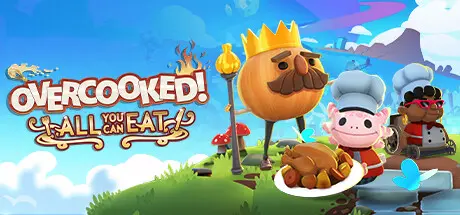
The Peckish have risen again and itโ€™s your job to satisfy their hunger, are you ready to save the world again? Overcooked! All You Can Eat is a chaotic cooking game where players need to work together (or alone) to serve as many dishes as they can before the timer runs out. Travel through the land cooking up a variety of recipes in evolving and dynamic kitchens.

For the first time ever, online multiplayer has been fully integrated into Overcooked! Revisit your favourite kitchens from the first game in stunning 4K and ONLINE!

Enjoy the cooking chaos with all of your friends using cross platform multiplayer and voice chat. A shared multiplayer queue means reduced waiting times for games, more time for culinary carnage!

Both games have been taken to the next level with stunning, enhanced 4K visuals - this is the best that the Overcooked! series has ever looked.

New levels, new chefs and new mayhem - all exclusive to Overcooked! All You Can Eat.

Players can enjoy campaign, survival and practice modes, and new to All You Can Eat - assist mode! Assist mode offers a number of options to allow for a less frantic game including slower recipe timeout, increased round timers and the option to skip levels.

Overcooked! All You Can Eat contains features to allow as many players as possible to join in the food frenzy! Scalable UI, dyslexia friendly text and colour blindness options are all available.


Game Screenshots

screenshot screenshot screenshot screenshot


Game Trailer


System Requirements

Minimum Requirements

Recommended Requirements

OS

WIN7-64 bit

Windows 10 64 Bit

Processor

Intel Core 2 Quad Q6600 or AMD Phenom II X3 720

Intel core i5-2300, 2.8 GHz or AMD FX-4300, 3.8 GHz

Memory

4 GB RAM

6 GB RAM

Graphics

NVIDIA GeForce GTS 450, 1 GB / AMD Radeon HD 5750, 1 GB

GeForce GTX 660 2GB VRAM / Radeon HD 7870 2GB VRAM

DirectX

Version 11

Version 12

Storage

8 GB available space

10 GB available space


Installation Guide

  1. No Installation Needed: The game is pre-installed. Just download and extract.

  2. Extract: Right-click the .zip or .rar file and select "Extract Here" or "Extract to folder".

  3. Run: Find Overcooked.exe inside the folder and run it.

Game Data & Settings

  • Change Language: Edit the file located at steam_settings/Configs.user.ini

  • Save Data Location: %USERPROFILE%/AppData/LocalLow/Team17/Overcooked All You Can Eat

Important Notes

DLC List

Added DLCs

Overcooked! All You Can Eat - Swedish Chef

๐Ÿ”ฅDOWNLOAD AREA๐Ÿ”ฅ

๐Ÿ”น7.38 GB๐Ÿ”น

Select the server you want to download with ZeiLink.

Download

  • DicDale changed the title to Overcooked! All You Can Eat Free Download (Build 22894075 + Swedish Chef DLC + Online)
  • DicDale changed the title to Overcooked! All You Can Eat Free Download (Build 22894075 + Swedish Chef DLC)

  • Views 1.4k
  • Created
  • Last Reply

Posted Images

Create an account or sign in to comment

Recently Browsing 0

  • No registered users viewing this page.

Account

Navigation

Search

Search

๐Ÿ”Ž Search Tip
For exact results, search using "game name" .
Without quotes, results may include unrelated titles.

Configure browser push notifications

Chrome (Android)
  1. Tap the lock icon next to the address bar.
  2. Tap Permissions โ†’ Notifications.
  3. Adjust your preference.
Chrome (Desktop)
  1. Click the padlock icon in the address bar.
  2. Select Site settings.
  3. Find Notifications and adjust your preference.