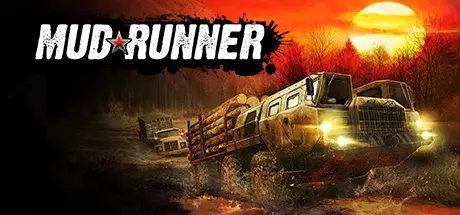
August 19, 20251 yr MudRunner Game DetailsRelease Name: MudRunnerGame Version: v18.10.18 | Build 9640861Release Date: 30 Oct, 2017Publisher: Focus EntertainmentDeveloper: Saber InteractiveBased On: CSF & GoldbergMudRunner Direct Download - Game OverviewMudRunner is the ultimate off-road experience, putting the players in the driver seat and daring them to take charge of incredible all-terrain vehicles, venturing across extreme Siberian landscapes with only a map and compass as guides!Drive 19 powerful all-terrain vehicles, each with its own characteristics and attachable equipment. Complete your objectives and deliveries by enduring perilous conditions across wild, untamed landscapes in extreme conditions with dynamic day-night cycles. Explore an immersive sandbox environment, enhanced by improved graphics. Overcome muddy terrain, raging rivers and other obstacles that all realistically react to the weight and movement of your vehicle powered by the game's advanced physics engine.With your map, compass, winch, and your driving skills as allies, go solo or join up to three others in the coop multiplayer. Download mods created by the passionate community for truck-loads of content and an ever-evolving MudRunner experience.The ultimate off-road experienceA wider selection of 19 incredible all-terrain vehiclesExplore immense, untamed Siberian sandbox environmentsOverhauled graphics and advanced physics engine for extreme realismComplete perilous objectives and deliveries in extreme conditionsPlay solo or in multiplayer coop up to 4!Download mods for an ever-evolving experienceMudRunner Screenshots MudRunner TrailerMudRunner System Requirements Minimum RequirementsRecommended Requirements OSWindows Vista/7/8/10 (64-bit)Windows Vista/7/8/10 (64-bit) ProcessorIntel® Pentium Dual Core 2.0GHz or equivalentIntel® Core 2 Duo 2.5GHz or equivalent Memory2 GB RAM4 GB RAM GraphicsNVIDIA GeForce 9600 GT or equivalentNVIDIA GeForce GTX 470 or equivalent DirectX-- Storage1 GB available space1 GB available space How to Install MudRunnerNo Installation Needed: The game is pre-installed. Just download and extract.Extract: Right-click the .zip or .rar file and select "Extract Here" or "Extract to folder".Run: Find MudRunner.exe inside the folder and run it.Game Data & SettingsChange Language: Edit the file located at steam_settings/Configs.user.iniSave Data Location: %USERPROFILE%/AppData/Roaming/SpinTires MudRunner/UserSavesImportant NotesTo support the Game Developer, Get It On Steam.DLC ListAdded DLCsMudRunner - Old-timers (MudRunner - Old-timers DLC)MudRunner - American Wilds (MudRunner - American Wilds Expansion)MudRunner - The Ridge DLCMudRunner - The Valley DLC🔥DOWNLOAD AREA🔥🔹1.27 GB🔹Select the server you want to download with ZeiLink.Download





Create an account or sign in to comment