



Skip to content
View in the app

A better way to browse. Learn more.

ZeiGames

A full-screen app on your home screen with push notifications, badges and more.

To install this app on iOS and iPadOS
  1. Tap the Share icon in Safari
  2. Scroll the menu and tap Add to Home Screen.
  3. Tap Add in the top-right corner.
To install this app on Android
  1. Tap the 3-dot menu (⋮) in the top-right corner of the browser.
  2. Tap Add to Home screen or Install app.
  3. Confirm by tapping Install.

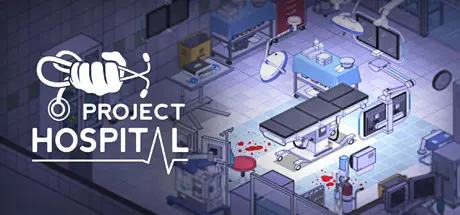
Project Hospital Free Download (v1.2.23584 + ALL DLC)
Featured Replies

header.webp

Game Details

Release Name: Project Hospital

Game Version: v1.2.23584 | Build 18012061

Release Date: 30 Oct, 2018

Publisher: Oxymoron Games

Developer: Oxymoron Games

Based On: CSF & Goldberg

Project Hospital Direct Download - Game Review

Become an ace doctor, an aspiring architect and a successful manager at the same time. Design your very own hospital, tweak every detail or choose one of the prebuilt scenarios and just jump to the doctor’s duty.

Contract different insurance companies to gain access to patients with interesting medical conditions, perform examinations, laboratory tests and use various equipment to solve the diagnostic puzzles. Hospitalize your patients, perform surgery and more!

Use a collection of various objects, materials and colors to make it truly yours or save your time and use one of many different prefabs.

From hiring to specializations, from doctors to janitors, make sure everybody is doing a great job and finds satisfaction in their work.

Help your doctors and walk them through the most complicated cases or just follow your favorite patients.

There are a few different modes in Project Hospital:

  • Tutorial levels will guide your through the basics of treating patients and running hospitals.

  • Sandbox mode offers endless hours of content, building anything from small clinics to huge multi-storey hospitals, starting from scratch or in one of pre-built hospitals or clinics in case you want to jump straight into management. Run you own ambulance service and help handle events and emergencies.

  • The campaign will put you in the shoes of a crisis manager trying to save a few hospitals in critical state.

  • 6 challenge levels will test your skills and let you focus on the intricate details of individual specialized departments.


Game Screenshots

screenshot screenshot screenshot screenshot


Game Trailer


System Requirements

Minimum Requirements

Recommended Requirements

OS

Windows 7 64bit

Windows 7 64bit

Processor

Intel i3 3210, AMD Ryzen 3 1200

Intel i5 6600K, AMD Ryzen 3 3300X

Memory

4 GB RAM

8 GB RAM

Graphics

Integrated Intel HD 4000

NVIDIA GeForce GTX 1050, AMD Radeon RX 460

DirectX

-

-

Storage

1 GB available space

1 GB available space


Installation Guide

  1. No Installation Needed: The game is pre-installed. Just download and extract.

  2. Extract: Right-click the .zip or .rar file and select "Extract Here" or "Extract to folder".

  3. Run: Find ProjectHospital.exe inside the folder and run it.

Game Data & Settings

  • Change Language: Edit the file located at steam_settings/Configs.user.ini

Important Notes

DLC List

Added DLCs

Project Hospital - Traumatology Department

Project Hospital - Department of Infectious Diseases

Project Hospital - Hospital Services

Project Hospital - Doctor Mode

🔥DOWNLOAD AREA🔥

🔹201 MB🔹

Select the server you want to download with ZeiLink.

Download

  • 6 months later...
  • Replies 1
  • Views 2.2k
  • Created
  • Last Reply

Top Posters In This Topic

Posted Images

is it possible to fix the links? only datavaults is working

Edited by gguimlk

Create an account or sign in to comment

Recently Browsing 0

  • No registered users viewing this page.

Account

Navigation

Search

Search

🔎 Search Tip
For exact results, search using "game name" .
Without quotes, results may include unrelated titles.

Configure browser push notifications

Chrome (Android)
  1. Tap the lock icon next to the address bar.
  2. Tap Permissions → Notifications.
  3. Adjust your preference.
Chrome (Desktop)
  1. Click the padlock icon in the address bar.
  2. Select Site settings.
  3. Find Notifications and adjust your preference.
