



Skip to content
View in the app

A better way to browse. Learn more.

ZeiGames

A full-screen app on your home screen with push notifications, badges and more.

To install this app on iOS and iPadOS
  1. Tap the Share icon in Safari
  2. Scroll the menu and tap Add to Home Screen.
  3. Tap Add in the top-right corner.
To install this app on Android
  1. Tap the 3-dot menu (โ‹ฎ) in the top-right corner of the browser.
  2. Tap Add to Home screen or Install app.
  3. Confirm by tapping Install.

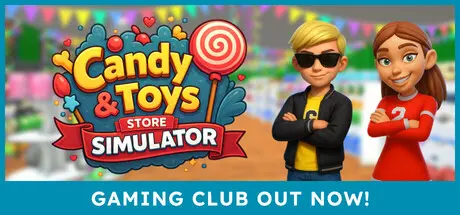
Candy & Toys Store Simulator Free Download (Build 21745460)
Featured Replies

header.webp

Game Details

Release Name:ย Candy & Toys Store Simulator

Game Version: Build 21745460

Release Date: 16 Sep, 2024

Publisher: Ox Games

Developer: Ox Games

Based On:ย CSF & Goldberg

Candy & Toys Store Simulator Direct Download - Game Review

Welcome to Candy & Toys Store Simulator!

Candy & Toys Store Simulator is a business simulation where you run and grow your own candy and toy store in a calm, cozy, and lively environment.

Handle daily operations such as stocking shelves, setting prices, serving customers, and organizing your store to maximize efficiency and profit. As you progress, you can hire employees and unlock new opportunities to expand and improve your store operations.

  • Store Layout & Design:
    Optimize the layout of your candy and toys store for efficiency and visual appeal. Design your space to maximize usability, organize aisles strategically, place products wisely, and create a smooth, enjoyable shopping experience for your customers.

  • Unlock and own a Gaming Club:
    Progress through the game to unlock and purchase a Gaming Club, giving you a new space to manage, customize, and generate additional income alongside your store.

  • Manage Inventory & Pricing:

    Take full control of your storeโ€™s stock and prices. Keep shelves filled, adjust pricing for maximum profit, and ensure your customers always find what they need.

  • Upgrade and Customize Both Locations:

    Customize your store and Gaming Club to reflect your style. Expand your store, change wall and floor colors in both locations, and add your personal logo to the Gaming Clubโ€Ž

    โ€Žโ€Žโ€Žโ€Ž
    Enjoy running your store and Gaming Club at your own pace. Decorate, upgrade, and watch your business grow while having fun managing every detail. โ€Žโ€Ž


Game Screenshots

screenshot screenshot screenshot screenshot


Game Trailer


System Requirements

Minimum Requirements

Recommended Requirements

OS

Windows 10 (64-bit versions only)

Windows 10 (64-bit versions only)

Processor

Intel Core i5-3570K or AMD FX-8310

Intel Core i7-4790 or AMD Ryzen 3

Memory

8 GB RAM

8 GB RAM

Graphics

NVIDIA GeForce GTX 750 or AMD Radeon RX 450

NVIDIA GeForce GTX 960 2GB

DirectX

Version 11

Version 11

Storage

5 GB available space

5 GB available space


Installation Guide

  1. No Installation Needed: The game is pre-installed. Just download and extract.

  2. Extract: Right-click the .zip or .rar file and select "Extract Here" or "Extract to folder".

  3. Run: Find Candy Toys Store Simulator.exe inside the folder and run it.

Game Data & Settings

  • Change Language: Edit the file located at steam_settings/Configs.user.ini

  • Save Data Location: %USERPROFILE%/AppData/LocalLow//OxDevelopers/Candy And Toys Store\OXGAMESSAVE

Important Notes

๐Ÿ”ฅDOWNLOAD AREA๐Ÿ”ฅ

๐Ÿ”น1.77 GB๐Ÿ”น

Select the server you want to download with ZeiLink.

Download

  • DicDale changed the title to Candy & Toys Store Simulator Free Download (Build 21745460)

  • Views 570
  • Created
  • Last Reply

Posted Images

Create an account or sign in to comment

Recently Browsing 0

  • No registered users viewing this page.

Account

Navigation

Search

Search

๐Ÿ”Ž Search Tip
For exact results, search using "game name" .
Without quotes, results may include unrelated titles.

Configure browser push notifications

Chrome (Android)
  1. Tap the lock icon next to the address bar.
  2. Tap Permissions โ†’ Notifications.
  3. Adjust your preference.
Chrome (Desktop)
  1. Click the padlock icon in the address bar.
  2. Select Site settings.
  3. Find Notifications and adjust your preference.