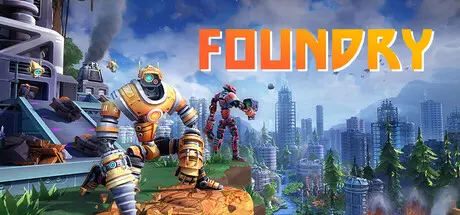
August 16, 20251 yr FOUNDRY Game DetailsRelease Name: FOUNDRYGame Version: v0.6.0.26518 | Build 23077581Release Date: 2 May, 2024Publisher: Paradox InteractiveDeveloper: Channel 3 EntertainmentBased On: CSF & GoldbergFOUNDRY Direct Download - Game OverviewFOUNDRY is a first-person (first-robot?) factory builder with complete creative freedom set in a procedurally generated and infinite voxel world.Land on an unexplored planet and design a giant automated robot production facility under the watchful direction of your AI friend, Carl. Navigate the complexities of interstellar trade and sell your products through interplanetary trade networks to reach your final goal: galactic industrial domination.Progress from manual resource extraction to a fully automated and perfectly optimized factory.Construct towering machinery and snaking networks of conveyor belts and pipes with no limits on where you build.Explore a vibrant voxel world and sculpt the landscape block by block.Research new, more advanced technologies to meet the demands of your ever-growing production lines.Personalize your creation by unlocking decorative items and new color options.Maintain a complex power system to keep your factory running at top speed.Work solo or recruit outside contractors in online or LAN co-op multiplayer.Create an enormous factory complex stretching from deep underground to the planet’s surface and the skies above.FOUNDRY Screenshots FOUNDRY TrailerFOUNDRY System Requirements Minimum RequirementsRecommended Requirements OSWindows® 10 Home 64 BitWindows® 10 Home 64 Bit | Windows® 11 ProcessorIntel® Core™ i3-2120 | AMD® FX™ 6350Intel® Core™ i5-4690K | AMD® Ryzen™ 5 2400G Memory8 GB RAM8 GB RAM GraphicsNvidia® GeForce™ GTX 660 (2GB) | AMD® Radeon™ RX 460 (2GB) | ASUS® ROG Ally | AMD® Radeon™ Vega 8 | Intel® Iris® XeNvidia® GeForce™ GTX 970 (4GB) | AMD® Radeon™ RX 480 (8GB) | Intel® Arc™ A750 (8GB, ReBAR on) DirectX-- Storage-- How to Install FOUNDRYNo Installation Needed: The game is pre-installed. Just download and extract.Extract: Right-click the .zip or .rar file and select "Extract Here" or "Extract to folder".Run: Find FOUNDRY.exe inside the folder and run it.Multiplayer & Online (Optional)Play Online: Download the Online Fix file and apply it to the game folder.Please go to the online fix page and read the guide.Game Data & SettingsChange Language: Edit the file located at steam_settings/Configs.user.iniSave Data Location: %USERPROFILE%/AppData/LocalLow/Channel 3 Entertainment/Foundry/cloud/Important NotesTo support the Game Developer, Get It On Steam.DLC ListAdded DLCsFoundry - Founder's Edition Upgrade🔥DOWNLOAD AREA🔥🔹3.68 GB🔹Select the server you want to download with ZeiLink.DownloadOnline Fix - (RAR pass: zeigames.com)
December 22, 2025Dec 22 can we get a better download site the one with ads are awful and cant even download and fileq just says no file found thank you





Create an account or sign in to comment