



Skip to content
View in the app

A better way to browse. Learn more.

ZeiGames

A full-screen app on your home screen with push notifications, badges and more.

To install this app on iOS and iPadOS
  1. Tap the Share icon in Safari
  2. Scroll the menu and tap Add to Home Screen.
  3. Tap Add in the top-right corner.
To install this app on Android
  1. Tap the 3-dot menu (โ‹ฎ) in the top-right corner of the browser.
  2. Tap Add to Home screen or Install app.
  3. Confirm by tapping Install.

Tech Support: Error Unknown Free Download (Build 3875560)
Featured Replies

header.webp

Game Details

Release Name:ย Tech Support: Error Unknown

Game Version:ย Build 3875560

Release Date: 27 Feb, 2019

Publisher: Iceberg Interactive

Developer: Dragon Slumber

Based On:ย CSF & Goldberg

Tech Support: Error Unknown Direct Download - Game Review

โ€œOn behalf of Quasar Telecommunications, I am happy to welcome you in our family. You are part of our exciting new program allowing technical support specialists to work directly from home. Your new Spectrum system will connect you directly with our customers through the Support Desk.โ€

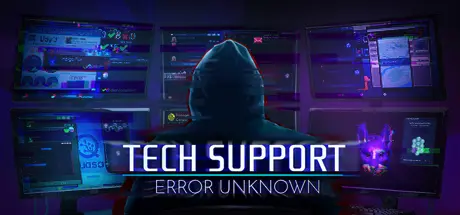
Tech Support: Error Unknown is an adventure game with simulation and puzzle mechanics, which places you in front of a virtual computer. As a tech support specialist new to the job, use a wide array of computer software to solve customer issues or choose to manipulate programs for personal gain. Hack your system to unlock its full potential, GPS track lost phones, scan profiles to blackmail customers, or simply propose they reboot.

While on the job, you discover a conflict between your corporate employer and an anonymous rogue hacktivist group, trying to take them down. Will you climb the corporate ladder, secretly join the hacktivists, or help the police expose them? Alternatively, will you pursue a more personal agenda?


Game Screenshots

screenshot screenshot screenshot screenshot


Game Trailer


System Requirements

Minimum Requirements

Recommended Requirements

OS

Windows 7 or greater

-

Processor

1.5 GHz CPU

-

Memory

500 MB RAM

-

Graphics

1280x720 or better video resolution in High Color mode

-

DirectX

-

-

Storage

500 MB available space

-


Installation Guide

  1. No Installation Needed: The game is pre-installed. Just download and extract.

  2. Extract: Right-click the .zip or .rar file and select "Extract Here" or "Extract to folder".

  3. Run: Find techsupport.exe inside the folder and run it.

Game Data & Settings

  • Change Language: Edit the file located at steam_settings/Configs.user.ini

  • Save Data Location: %USERPROFILE%/AppData/LocalLow/DragonSlumber/TechSupport/

Important Notes

๐Ÿ”ฅDOWNLOAD AREA๐Ÿ”ฅ

๐Ÿ”น184 MB๐Ÿ”น

Select the server you want to download with ZeiLink.

Download

  • DicDale changed the title to Tech Support: Error Unknown Free Download (Build 3875560)

  • Views 647
  • Created
  • Last Reply

Posted Images

Create an account or sign in to comment

Recently Browsing 0

  • No registered users viewing this page.

Account

Navigation

Search

Search

๐Ÿ”Ž Search Tip
For exact results, search using "game name" .
Without quotes, results may include unrelated titles.

Configure browser push notifications

Chrome (Android)
  1. Tap the lock icon next to the address bar.
  2. Tap Permissions โ†’ Notifications.
  3. Adjust your preference.
Chrome (Desktop)
  1. Click the padlock icon in the address bar.
  2. Select Site settings.
  3. Find Notifications and adjust your preference.