



Theme
Language

Layout
Skip to content
View in the app

A better way to browse. Learn more.

ZeiGames

A full-screen app on your home screen with push notifications, badges and more.

To install this app on iOS and iPadOS
  1. Tap the Share icon in Safari
  2. Scroll the menu and tap Add to Home Screen.
  3. Tap Add in the top-right corner.
To install this app on Android
  1. Tap the 3-dot menu (⋮) in the top-right corner of the browser.
  2. Tap Add to Home screen or Install app.
  3. Confirm by tapping Install.

Surgeon Simulator Free Download (v2.1 Anniversary Edition)
Surgeon Simulator

Featured Replies

Surgeon Simulator cover art

Surgeon Simulator Game Details

Release Name: Surgeon Simulator

Game Version: v2.1 | Build 1165866

Release Date: 19 Apr, 2013

Publisher: Infogrames, Atari

Developer: Bossa Studios

Based On: CSF & Goldberg

Surgeon Simulator Direct Download - Game Overview

Didn’t fancy seven years at medical school? Skip straight to the operating table with Surgeon Simulator; an over-the-top operation sim, stitching together dastardly dark humour with all the seriousness of life-saving surgery.

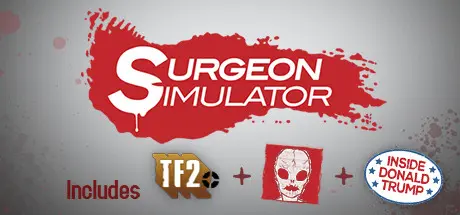
Taking on the role of Nigel Burke, a would-be surgeon with a penchant for non-conventional tools, perform critical procedures on patients including The Heavy from TF2, an alien with a truly one-of-a-kind anatomical structure, and the 45th President of the United States of America - yes, Mr Donald J Trump, himself!

Known for its diabolically difficult controls (with each finger separately controlled by a different keyboard button), carry out terrifying transplants in theatre, high-pressure procedures along the corridor, and on-the-move operations in the back of a high-speed ambulance. Steady hands? Yeah, that ain’t gonna help!

Updated for 2017, Surgeon Simulator now includes the A&E expansion pack. We’re talking slicker (and often stickier!) graphics, additional procedures, all-new environments, and a (heart) pumping soundtrack.

But then again, we had you at Trump… right?


Surgeon Simulator Screenshots

Surgeon Simulator screenshot 1 Surgeon Simulator screenshot 2 Surgeon Simulator screenshot 3 Surgeon Simulator screenshot 4


Surgeon Simulator Trailer


Surgeon Simulator System Requirements

Minimum Requirements

Recommended Requirements

OS

Windows XP

Windows 7

Processor

2.0 GHz

2.0 GHz or better

Memory

2 GB RAM

2 GB RAM

Graphics

Nvidia Geforce 7800 GT or better

Radeon x850 or comparable

DirectX

9.0

9.0

Storage

500 MB HD space

500 MB HD space


How to Install Surgeon Simulator

  1. No Installation Needed: The game is pre-installed. Just download and extract.

  2. Extract: Right-click the .zip or .rar file and select "Extract Here" or "Extract to folder".

  3. Run: Find ss2013.exe inside the folder and run it.

Game Data & Settings

  • Change Language: Edit the file located at steam_settings/Configs.user.ini

Important Notes

DLC List

Added DLCs

Surgeon Simulator - Anniversary Edition Content

🔥DOWNLOAD AREA🔥

🔹703 MB🔹

Select the server you want to download with ZeiLink.

Download

  • Views 915
  • Created
  • Last Reply

Posted Images

Create an account or sign in to comment

Recently Browsing 0

  • No registered users viewing this page.

Account

Navigation

Search

Search

🔎 Search Tip
For exact results, search using "game name" .
Without quotes, results may include unrelated titles.

Configure browser push notifications

Chrome (Android)
  1. Tap the lock icon next to the address bar.
  2. Tap Permissions → Notifications.
  3. Adjust your preference.
Chrome (Desktop)
  1. Click the padlock icon in the address bar.
  2. Select Site settings.
  3. Find Notifications and adjust your preference.
