



Skip to content
View in the app

A better way to browse. Learn more.

ZeiGames

A full-screen app on your home screen with push notifications, badges and more.

To install this app on iOS and iPadOS
  1. Tap the Share icon in Safari
  2. Scroll the menu and tap Add to Home Screen.
  3. Tap Add in the top-right corner.
To install this app on Android
  1. Tap the 3-dot menu (โ‹ฎ) in the top-right corner of the browser.
  2. Tap Add to Home screen or Install app.
  3. Confirm by tapping Install.

Dino V. Xeno - Tower Defense Free Download (Build 14123649)
Featured Replies

header.webp

Game Details

Release Name:ย Dino V. Xeno - Tower Defense

Game Version:ย Build 14123649

Release Date: 23 Feb, 2023

Publisher: Fun Asylum Studio

Developer: Fun Asylum Studio

Based On:ย CSF

Dino V. Xeno - Tower Defense Direct Download - Game Review

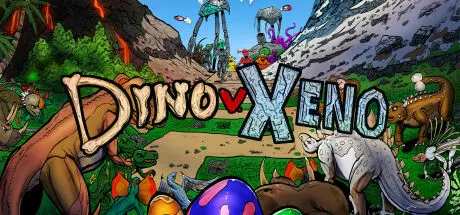
Dino V. Xeno is a casual, full length, straight to the point, yet deeply crafted, and exquisitely fun tower defense game made to keep lovers of the genre happy. Take on hordes of alien invaders using the full force of your dinosaur army. With 10 fully upgradable dinosaurs at your disposal, plus 14 additional "special" towers and a slew of power-ups that can be found randomly on each level, each time you play can be vastly different. Both good planning and RNG play a role in making this a unique yet pure tower defense experience. DVX is designed to keep you entertained, feeling good, with just the right bit of challenge without overcomplicating things.

Dino V. Xeno features 51 levels, with both a normal mode for casual players and a hard mode for people who are tower defense buffs who love to learn game mechanics and challenge themselves. Not including the game's Endless Mode, the campaign will take anywhere from twelve to eighteen hours to beat completely (but probably more).


Game Screenshots

screenshot screenshot screenshot screenshot


Game Trailer


System Requirements

Minimum Requirements

Recommended Requirements

OS

Windows 10 or newer (64 bit)

-

Processor

SSE3 capable Intel Pentium 4 processor or later, 4GB RAM

-

Memory

4 GB RAM

-

Graphics

OpenGL 2.0 compatible. ATI, Nvidia or Intel HD

-

DirectX

-

-

Storage

2550 MB available space

-


Installation Guide

  1. No Installation Needed: The game is pre-installed. Just download and extract.

  2. Extract: Right-click the .zip or .rar file and select "Extract Here" or "Extract to folder".

  3. Run: Find Dino V. Xeno - Tower Defense.exe inside the folder and run it.

Important Notes

๐Ÿ”ฅDOWNLOAD AREA๐Ÿ”ฅ

๐Ÿ”น395 MB๐Ÿ”น

Select the server you want to download with ZeiLink.

Download

  • Views 424
  • Created
  • Last Reply

Posted Images

Create an account or sign in to comment

Recently Browsing 0

  • No registered users viewing this page.

Account

Navigation

Search

Search

๐Ÿ”Ž Search Tip
For exact results, search using "game name" .
Without quotes, results may include unrelated titles.

Configure browser push notifications

Chrome (Android)
  1. Tap the lock icon next to the address bar.
  2. Tap Permissions โ†’ Notifications.
  3. Adjust your preference.
Chrome (Desktop)
  1. Click the padlock icon in the address bar.
  2. Select Site settings.
  3. Find Notifications and adjust your preference.
