



Skip to content
View in the app

A better way to browse. Learn more.

ZeiGames

A full-screen app on your home screen with push notifications, badges and more.

To install this app on iOS and iPadOS
  1. Tap the Share icon in Safari
  2. Scroll the menu and tap Add to Home Screen.
  3. Tap Add in the top-right corner.
To install this app on Android
  1. Tap the 3-dot menu (โ‹ฎ) in the top-right corner of the browser.
  2. Tap Add to Home screen or Install app.
  3. Confirm by tapping Install.

Ultimate Admiral: Dreadnoughts Free Download (v1.7.0.0)
Featured Replies

header.webp

Game Details

Release Name:ย Ultimate Admiral: Dreadnoughts

Game Version:ย v1.7.0.0 | Build 16862897

Release Date: 25 Jan, 2023

Publisher: Game-Labs

Developer: Game-Labs

Based On:ย CSF & Goldberg

Ultimate Admiral: Dreadnoughts Direct Download - Game Review

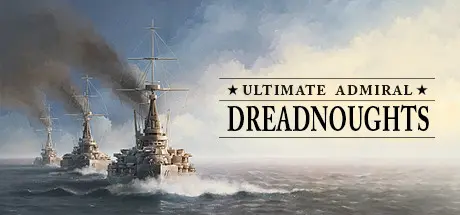
Ultimate Admiral: Dreadnoughts aims to be the first game of its kind - a true naval warfare game - which offers a unique opportunity to design and build countless variations of realistic looking warships combined with an extremely in-depth and realistic combat model. We are absolutely excited with what we are making and we hope everyone who is interested about the dreadnought era and naval warfare, will join our ambitious project and support us.

Become the architect of powerful warships, from small torpedo boats to mighty Battleships! Recreate famous ships such as the HMS Dreadnought and countless speculative designs. Pick turret layout, armor scheme, funnel placement, tower variations making each ship look and feel unique. Their hull characteristics, internal upgrade selection and weight distribution not only modifies their speed and maneuverability but also their weapon effectiveness. Every design detail of your warships has a significant effect on the combat capability of your ships.

Naval combat becomes immersive and feels even more realistic when your opponent is able to react to your actions with a human-like and unexpected behavior. The AI evaluates the optimal engagement distance, using principles of the โ€œImmunity Zoneโ€ and comparing its own firepower versus your ships. The AI uses ammunition wisely, holding fire when necessary or switching shell types according to the armor protection of the target. Unless there is a special mission directive, the AI will not act suicidally and will attempt to withdraw, if its fleet becomes heavily damaged or it is much weaker than yours.

The Custom Battle system allows you to experiment and enjoy naval battles utilizing endless combinations of ship designs in technology eras between the years 1890 and 1950 for ten different nations. Additionally, there is the โ€œNaval Academyโ€ which currently includes 63 battle scenarios, where you will have to design a ship or a squadron to fulfill a certain combat tactical task. These numerous missions will allow you to practice and enjoy the many innovative design and combat aspects of the game.

You can fully design your fleet, immerse yourself in epic naval battles and make crucial strategic decisions on the map with a single goal to defeat your opponents by annihilating their fleets and strangling their economy. The map includes necessary historical and strategic aspects that can simulate actual facts of the period 1890-1940.


Game Screenshots

screenshot screenshot screenshot screenshot


Game Trailer


System Requirements

Minimum Requirements

Recommended Requirements

OS

64-bit Windows 7

64-bit Windows 10

Processor

Intel Core i5-2500K 3.3GHz, AMD Phenom II X4 940

Intel Core i7 3770 3.4 GHz, AMD FX-8350 4.0 GHz

Memory

4 GB RAM

8 GB RAM

Graphics

Nvidia GeForce GTX 660, AMD Radeon HD 7870

Nvidia GeForce GTX 1060, AMD Radeon RX 580

DirectX

Version 11

Version 11

Storage

4 GB available space

8 GB available space


Installation Guide

  1. No Installation Needed: The game is pre-installed. Just download and extract.

  2. Extract: Right-click the .zip or .rar file and select "Extract Here" or "Extract to folder".

  3. Run: Find Ultimate Admiral Dreadnoughts.exe inside the folder and run it.

Game Data & Settings

  • Change Language: Edit the file located at steam_settings/Configs.user.ini

Important Notes

๐Ÿ”ฅDOWNLOAD AREA๐Ÿ”ฅ

๐Ÿ”น1.25 GB๐Ÿ”น

Select the server you want to download with ZeiLink.

Download

  • Views 1.7k
  • Created
  • Last Reply

Posted Images

Create an account or sign in to comment

Recently Browsing 0

  • No registered users viewing this page.

Account

Navigation

Search

Search

๐Ÿ”Ž Search Tip
For exact results, search using "game name" .
Without quotes, results may include unrelated titles.

Configure browser push notifications

Chrome (Android)
  1. Tap the lock icon next to the address bar.
  2. Tap Permissions โ†’ Notifications.
  3. Adjust your preference.
Chrome (Desktop)
  1. Click the padlock icon in the address bar.
  2. Select Site settings.
  3. Find Notifications and adjust your preference.
