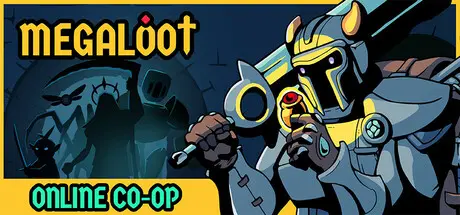
August 6, 20251 yr Megaloot Game DetailsRelease Name: MegalootGame Version: v1.23.1 | Build 21763227Release Date: 30 Aug, 2024Publisher: Ravenage Games, Sidekick PublishingDeveloper: axilirateBased On: CSF & GoldbergMegaloot Direct Download - Game OverviewThere is a mysterious tower in this world that replicates all sorts of objects from other realities, creating an indefinite space full to the brim with monsters, strange creatures, people, and loot. You have found yourself in this reality, and now it’s your path.Entering the tower, you find yourself in fierce battles that require valuable loot items - armor, magic rings, weapons, and much more. These are essential tools for developing your unique builds while clearing the tower's floors.Defeat enemies and earn gold, which can be spent on new loot items. Continuously manage your loot to become stronger right in the battle by absorbing the mythical power of the items you discard - even if for a mere moment, but with dedication it’s enough to ascend to near godhood and kill whatever twisted creature stands in your way.Use potions and tomes to boost your power, seek out reforged items for unique and enhanced gear, and banish excess loot to refresh the shop with better options. Make the most of every item and be ready for any enemy.Combine loot strategically to craft dominating builds and become the ultimate power hunter. Balance between strengths and weaknesses to maximize your power to the fullest extent.150+ unique loot items with many variations of characteristics that have a synergistic effect to create unique builds27+ stats like Toxicity, Strength, Wisdom, Faith, Recovery, and more, which can be combined with loot and keystones for a unique strategy and tactics10 characters with their abilitiesSimple, addictive, and challenging gameplayHigh replayability at any timeMegaloot Screenshots Megaloot TrailerMegaloot System Requirements Minimum RequirementsRecommended Requirements OSWindows 10/11Windows 10/11 ProcessorRequires a 64-bit processor and operating systemRequires a 64-bit processor and operating system Memory-- GraphicsSupport for OpenGL 3Support for Vulkan DirectX-- Storage500 MB available space500 MB available space How to Install MegalootNo Installation Needed: The game is pre-installed. Just download and extract.Extract: Right-click the .zip or .rar file and select "Extract Here" or "Extract to folder".Run: Find Megaloot.exe inside the folder and run it.Multiplayer & Online (Optional)Play Online: Download the Online Fix file and apply it to the game folder.Please go to the online fix page and read the guide.Game Data & SettingsChange Language: Edit the file located at steam_settings/Configs.user.iniImportant NotesTo support the Game Developer, Get It On Steam.🔥DOWNLOAD AREA🔥🔹414 MB🔹Select the server you want to download with ZeiLink.DownloadOnline Fix - (RAR pass: zeigames.com)





Create an account or sign in to comment