



Skip to content
View in the app

A better way to browse. Learn more.

ZeiGames

A full-screen app on your home screen with push notifications, badges and more.

To install this app on iOS and iPadOS
  1. Tap the Share icon in Safari
  2. Scroll the menu and tap Add to Home Screen.
  3. Tap Add in the top-right corner.
To install this app on Android
  1. Tap the 3-dot menu (โ‹ฎ) in the top-right corner of the browser.
  2. Tap Add to Home screen or Install app.
  3. Confirm by tapping Install.

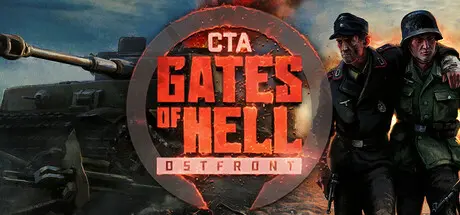
Call to Arms - Gates of Hell: Ostfront Free Download (v1.052 + ALL DLC + Online)
Featured Replies

header.webp

Game Details

Release Name:ย Call to Arms - Gates of Hell: Ostfront

Game Version:ย v1.052 | Build 18928107

Release Date: 11 Jun, 2021

Publisher: Digitalmindsoft

Developer: Barbedwire Studios, Digitalmindsoft

Based On:ย CSF & Goldberg

Call to Arms - Gates of Hell: Ostfront Direct Download - Game Review

Call to Arms - Gates of Hell: Ostfront features the Eastern Front and its โ€œGreat Patriotic Warโ€ fought between the USSR and Germany. This RTS will take you from June 1941 until the end of the war in May 1945.

Call to Arms - Gates of Hell: Ostfront offers a choice of game modes including Singleplayer, dynamic campaign, PvE, PvP and co-op.

With its instantly switchable views, thereโ€™s something for every type of player. First person gunner views for all vehicles, third person views for vehicles and infantry, classic top-down direct control of a single unit or classic RTS top-down; they are all available and instantly switchable.

Conquest (dynamic campaign) mode offers singleplayer and co-op modes to play with your friends. Both modes allow you to compose your own army group, research new units and strategically advance in different paths to dominate the battlefield. The dynamic campaign can range from short to unlimited campaign lengths.

PvP/PvE offers a wide variety of maps from 1v1 to 4v4, and the use of โ€œDoctrinesโ€. These allow you to choose your own special units that fit your individual playstyle. The stage of the war (Early/Mid/Late) can be selected, to experience the evolution of equipment and vehicles as the conflict progressed.

Single player campaigns take place at historical locations, painstakingly recreated and immersive as hell.

  • 12 historical singleplayer missions that can also be played in co-op with friends.

  • 30 PvE and PvP maps

  • PvE Dynamic campaigns in which you develop your own army and fight an ever- changing war across a big collection of maps

  • PvP multiplayer offers doctrines to specialize your armies

  • Instantly switchable 3rd person/ direct control view mode for infantry

  • Instantly switchable 1st person/ 3rd person / direct control view mode for vehicles

  • Over 250 vehicles and 100 heavy weapons at your disposal

  • Air support mechanics and off-map artillery support

  • Realistically armored vehicles with accurate armor layouts, historical ammo loadouts and fully modeled internal components

  • The most realistic armor penetration and ammunition mechanics of any RTS out there

  • Land mines, magnetic mines, obstacle-laying, foxhole-building, bayonets, smokescreens, medics and countless other game mechanics

  • Authentic sound design and visuals

  • A full in- game editor plus modding/ workshop support


Game Screenshots

screenshot screenshot screenshot screenshot


Game Trailer


System Requirements

Minimum Requirements

Recommended Requirements

OS

64bit - Windows 7, 8, 10, 11

64bit - Windows 10

Processor

-

AMD Ryzen 7 3700X

Memory

16 GB RAM

32 GB RAM

Graphics

GTX 1070 / RX 5600

RTX 2070 / RX 6600

DirectX

Version 11

Version 12

Storage

80 GB available space

80 GB available space


Installation Guide

  1. No Installation Needed: The game is pre-installed. Just download and extract.

  2. Extract: Right-click the .zip or .rar file and select "Extract Here" or "Extract to folder".

  3. Run: Find binaries\x64\Launcher.exe inside the folder and run it.

Multiplayer & Online (Optional)

  • Play Online: Download the Online Fix file and apply it to the game folder.

  • Please go to the online fix page and read the guide.

Game Data & Settings

  • Change Language: Edit the file located at steam_settings/Configs.user.ini

  • Save Data Location: /Call to Arms - Gates of Hell: Ostfront/

Important Notes

DLC List

Added DLCs

CTA - Gates of Hell: Finest Hour (Call to Arms - Gates of Hell: Finest Hour)

Call to Arms - Gates of Hell: Supporter Pack

Call to Arms - Gates of Hell: Jubilee

Call to Arms - Gates of Hell: Airborne

Call to Arms - Gates of Hell: Liberation

Call to Arms - Gates of Hell: Scorched Earth

Call to Arms - Gates of Hell: Talvisota

๐Ÿ”ฅDOWNLOAD AREA๐Ÿ”ฅ

๐Ÿ”น75.65 GB๐Ÿ”น

Select the server you want to download with ZeiLink.

Download

Online Fix - (RAR pass: rexagames.com)

  • DicDale changed the title to Call to Arms - Gates of Hell: Ostfront Free Download ()
  • DicDale changed the title to Call to Arms - Gates of Hell: Ostfront Free Download (v1.052 + ALL DLC + Online)

  • Views 1.8k
  • Created
  • Last Reply

Posted Images

Create an account or sign in to comment

Recently Browsing 0

  • No registered users viewing this page.

Account

Navigation

Search

Search

๐Ÿ”Ž Search Tip
For exact results, search using "game name" .
Without quotes, results may include unrelated titles.

Configure browser push notifications

Chrome (Android)
  1. Tap the lock icon next to the address bar.
  2. Tap Permissions โ†’ Notifications.
  3. Adjust your preference.
Chrome (Desktop)
  1. Click the padlock icon in the address bar.
  2. Select Site settings.
  3. Find Notifications and adjust your preference.