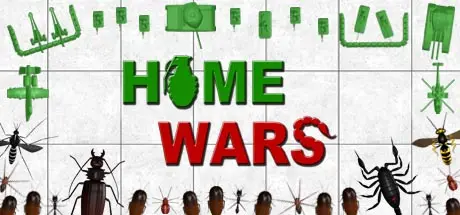
August 5, 20251 yr Home Wars Game DetailsRelease Name: Home WarsGame Version: v1.037 | Build 16211773Release Date: 13 Jun, 2017Publisher: Insane DreamersDeveloper: Insane DreamersBased On: CSF & GoldbergHome Wars Direct Download - Game Overview Do you hate bugs and arachnids? Seeing them creeps you out? Would you like them to disappear off the face of the Earth? GOOD! This the right game for you!In Home Wars you’ll play as a General of a toy soldiers army, with the sole purpose of saving the owner’s house from the invasion of those damn Bugs.The special feature of this game is that you can go instantly into first person towards any selected unit, getting a damage bonus for everything you'll hit.In the Campaign, there are two different phases:- the Home Mode, where you’ll have to manage, turn after turn, your Headquarters, recruit troops, buy ammunition, spy on enemies, unlock new units and decide the best moves for your armies- the Battle Mode, playable in real time, where you’ll fight face to face with the enemy till the last soldier falls.The Bugs will aim to collect as much food as possible, they will use it to create new lethal Swarms and to evolve their Nest. On the other side, you’ll have to prevent that and get the right resources to create an army able to fight off those creatures.Use the versatile Infantry, the armored Vehicles, the powerful Artillery and the deadly Aircraft to destroy anything that has more than 4 legs!You can also build defensive structures and traps to protect sensitive targets such as Outposts, Trucks, Supply Crates.Stop the enemy invasion room by room, fight it in the main 3 types of battles and in the other secondary missions. Attack enemy’s convoys, defend satellites through intense aerial dogfights, protect surrounded recon squads using a powerful gunship and much more to win the War.There is a technology tree that allows you to unlock more powerful units using the Experience gained on the battlefield.In Home Wars there are no maintenance costs for armies, but you’ll have to buy gradually the ammunition your men need. You can buy 7,62mm, 12,7mm, 20mm, 30mm, 40mm, 150mm, 320mm, rockets, missiles, bombs … and much more.As regards the bombs, there are four types of ammunition: High Explosive, Incendiary, Cluster and Toxic.Every single shot in Home Wars has unique characteristics, so it's up to you to find the winning combination for each battle.Show no mercy to the enemies, they want to kill us!Do not hesitate to burn them alive with napalm, to poison them with insecticide or to trap them in barbed wire, because remember: THE ONLY GOOD BUG IS A DEAD BUG!Home Wars Screenshots Home Wars TrailerHome Wars System Requirements Minimum RequirementsRecommended Requirements OSWindows 8.1 or Windows 10- Processor3.0 GHz- Memory4 GB RAM- Graphics2GB VRAM- DirectX-- Storage5 GB available space- How to Install Home WarsNo Installation Needed: The game is pre-installed. Just download and extract.Extract: Right-click the .zip or .rar file and select "Extract Here" or "Extract to folder".Run: Find Home Wars.exe inside the folder and run it.Game Data & SettingsChange Language: Edit the file located at steam_settings/Configs.user.iniImportant NotesTo support the Game Developer, Get It On Steam.🔥DOWNLOAD AREA🔥🔹620 MB🔹Select the server you want to download with ZeiLink.Download





Create an account or sign in to comment