



Skip to content
View in the app

A better way to browse. Learn more.

ZeiGames

A full-screen app on your home screen with push notifications, badges and more.

To install this app on iOS and iPadOS
  1. Tap the Share icon in Safari
  2. Scroll the menu and tap Add to Home Screen.
  3. Tap Add in the top-right corner.
To install this app on Android
  1. Tap the 3-dot menu (โ‹ฎ) in the top-right corner of the browser.
  2. Tap Add to Home screen or Install app.
  3. Confirm by tapping Install.

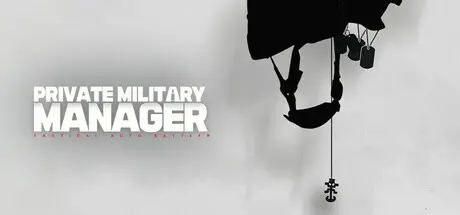
Private Military Manager: Tactical Auto Battler Free Download (Build 18328457)
Featured Replies

header.webp

Game Details

Release Name:ย Private Military Manager: Tactical Auto Battler

Game Version:ย Build 18328457

Release Date: 27 Apr, 2025

Publisher: 5minlab Corp., KRAFTON, Inc.

Developer: 5minlab Corp.

Based On:ย CSF & Goldberg

Private Military Manager: Tactical Auto Battler Direct Download - Game Review

The player is the CEO of a private military company based in Cordivia, South America during the 1990s. The cartels are rapidly growing, and the government and local police are quickly becoming corrupt. Rebels are constantly seeking to start a civil war, and intelligence agencies from various countries are running rampant. In this world plunging into chaos, opportunities and crises always come hand in hand for the mercenary company.

Your client does not wish to reveal themselves due to political reasons. They hope someone else will take care of the dirty work for them, and if you fail the mission, the client will not protect you. However, you will be paid handsomely in return.

The process of preparing for and resolving missions consists of observing realistic combat simulations. Players do not directly control the combatants but, as the CEO of a mercenary company, must issue more effective tactical directives. It is difficult to succeed in a mission on the first attempt. Persistently identify the enemy's weaknesses and try new tactics. The growth of your mercenary squad could be the key to solving missions. Ensure you are prepared to execute the mission within the set timeframe.

Recruit new mercenaries, control their weapons and tactical combinations, and their engagement rules in CQB (Close Quarters Battle) situations to ensure the success of the mission. As the CEO, you will analyze how the mercenary squad carries out its missions.


Game Screenshots

screenshot screenshot screenshot screenshot


Game Trailer


System Requirements

Minimum Requirements

Recommended Requirements

OS

Windows 10 (64bit)

Windows 10/11 (64bit)

Processor

Intel(R) Core(TM) i5-9400F CPU @ 2.90GHz 2.90 GHz

Intel(R) Core(TM) i5-9400F CPU @ 2.90GHz 2.90 GHz

Memory

8 GB RAM

16 GB RAM

Graphics

NVIDIA GeForce GTX 1660

NVIDIA GeForce GTX 1660

DirectX

Version 12

Version 12

Storage

10 GB available space

10 GB available space


Installation Guide

  1. No Installation Needed: The game is pre-installed. Just download and extract.

  2. Extract: Right-click the .zip or .rar file and select "Extract Here" or "Extract to folder".

  3. Run: Find PrivateMilitaryManager.exe inside the folder and run it.

Game Data & Settings

  • Change Language: Edit the file located at steam_settings/Configs.user.ini

  • Save Data Location: %USERPROFILE%/AppData/Local/PMM/Saved/SaveGames

Important Notes

๐Ÿ”ฅDOWNLOAD AREA๐Ÿ”ฅ

๐Ÿ”น1.57 GB๐Ÿ”น

Select the server you want to download with ZeiLink.

Download

  • Views 708
  • Created
  • Last Reply

Posted Images

Create an account or sign in to comment

Recently Browsing 0

  • No registered users viewing this page.

Account

Navigation

Search

Search

๐Ÿ”Ž Search Tip
For exact results, search using "game name" .
Without quotes, results may include unrelated titles.

Configure browser push notifications

Chrome (Android)
  1. Tap the lock icon next to the address bar.
  2. Tap Permissions โ†’ Notifications.
  3. Adjust your preference.
Chrome (Desktop)
  1. Click the padlock icon in the address bar.
  2. Select Site settings.
  3. Find Notifications and adjust your preference.
