



Theme
Language

Layout
Skip to content
View in the app

A better way to browse. Learn more.

ZeiGames

A full-screen app on your home screen with push notifications, badges and more.

To install this app on iOS and iPadOS
  1. Tap the Share icon in Safari
  2. Scroll the menu and tap Add to Home Screen.
  3. Tap Add in the top-right corner.
To install this app on Android
  1. Tap the 3-dot menu (⋮) in the top-right corner of the browser.
  2. Tap Add to Home screen or Install app.
  3. Confirm by tapping Install.

Age of History 3 Free Download (Build 23052509 + Smaller Map DLC)
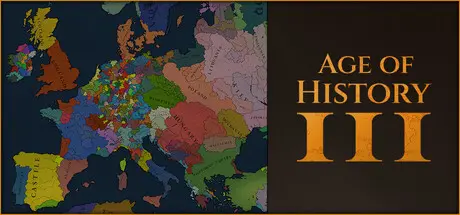
Age of History 3

Featured Replies

Age of History 3 cover art

Age of History 3 Game Details

Release Name: Age of History 3

Game Version: v1.02 | Build 23052509

Release Date: 23 Oct, 2024

Publisher: Łukasz Jakowski Games

Developer: Łukasz Jakowski

Based On: CSF & Goldberg

Age of History 3 Direct Download - Game Overview

Embark on an epic journey with Age of History 3, which takes you through the vast timeline of human history. From the Age of Civilization to the realms of the far future, play as various Civilizations ranging from dominant empires to small tribes.

Advance in the technology tree to unlock better buildings and stronger units, improving your Civilization. Each technological breakthrough opens up new possibilities, reflecting the evolution and growth of your Civilization through History.

The choice of units in the front and second line is vital. Front-line units need to be resilient and capable of dealing with direct combat, while second-line units should provide support, range attacks, or specialized functions.

With more than 63 unique unit types available, you have a vast array of army compositions to select from, offering a diverse range of strategic options.

Each day, the front-line units of both armies engage in combat with the enemy's front-line, provided they are within attack range. Simultaneously, the second-line units also participate by attacking the enemy's front-line units if they fall within their range.

The combat results in casualties, the retreat of troops, and the loss of morale.

Manpower represents the stock of individuals eligible for military service within a Civilization. It is a critical resource used for recruiting new troops and reinforcing existing armies, embodying the Civilization's capacity to wage war and defend itself.

Manpower replenishes over time, reflecting natural population growth and recovery from previous military engagements.

Since manpower replenishes over time, players must plan their military campaigns considering their current and future manpower availability.

  • Council and Advisors & Generals

  • Over 90 unique buildings

  • More advanced economy

  • 48 resources each providing unique bonuses to the largest producers

  • Civilizations Legacies & Advantages

  • Laws and reforms

  • Religions


Age of History 3 Screenshots

Age of History 3 screenshot 1 Age of History 3 screenshot 2 Age of History 3 screenshot 3 Age of History 3 screenshot 4


Age of History 3 Trailer


Age of History 3 System Requirements

Minimum Requirements

Recommended Requirements

OS

Windows® 7/8/10/11 64-bit

Windows® 7/8/10/11 64-bit

Processor

2.7 GHz Single Core

Intel® Core™ 2 Duo 3.0Ghz

Memory

3 GB RAM

4 GB RAM

Graphics

Hardware Accelerated Graphics with dedicated memory

Nvidia® GeForce™ GTX 460

DirectX

-

-

Storage

1 GB available space

1 GB available space


How to Install Age of History 3

  1. No Installation Needed: The game is pre-installed. Just download and extract.

  2. Extract: Right-click the .zip or .rar file and select "Extract Here" or "Extract to folder".

  3. Run: Find Launcher.bat inside the folder and run it.

Game Data & Settings

  • Change Language: Edit the file located at steam_settings/Configs.user.ini

  • Save Data Location: */saves

Important Notes

DLC List

Added DLCs

Age of History 3: Smaller Map

🔥DOWNLOAD AREA🔥

🔹783 MB🔹

Select the server you want to download with ZeiLink.

Download

  • DicDale changed the title to Age of History 3 Free Download (Build 23052509 + Smaller Map DLC)

  • Views 1.2k
  • Created
  • Last Reply

Posted Images

Create an account or sign in to comment

Recently Browsing 0

  • No registered users viewing this page.

Account

Navigation

Search

Search

🔎 Search Tip
For exact results, search using "game name" .
Without quotes, results may include unrelated titles.

Configure browser push notifications

Chrome (Android)
  1. Tap the lock icon next to the address bar.
  2. Tap Permissions → Notifications.
  3. Adjust your preference.
Chrome (Desktop)
  1. Click the padlock icon in the address bar.
  2. Select Site settings.
  3. Find Notifications and adjust your preference.