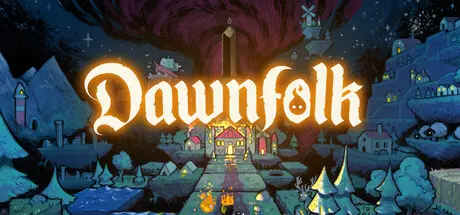
August 4, 20251 yr Dawnfolk Game DetailsRelease Name: DawnfolkGame Version: v1.5.0 | Build 23685039Release Date: 13 Feb, 2025Publisher: Astra Logical, Klei PublishingDeveloper: Darenn KellerBased On: CSF & GoldbergDawnfolk Direct Download - Game OverviewIn a world of darkness, you are the ruler of a kingdom lost to shadows. On a quest to save your people, you have found the mythical creature called “Lueur,” a fiery companion who will light your way. But what kind of ruler will you be?In Dawnfolk, you will explore an uncharted medieval fantasy world, manage resources, build cities, and survive against many dangers.Minigames add a unique challenge to supporting your people. The better you are at the minigames, the more resources you get and the more likely your community will weather the darkness.Every choice matters as you explore different strategies and play styles in Dawnfolk.Not everyone has time to invest hundreds of hours into learning how to play a grand strategy game. You can dive right in and start building your settlement immediately, going from a handful of tents to a big city in less than an hour.Dawnfolk was designed to feel familiar, yet unlike any building strategy game you’ve ever played before. Unwind and play with ease, whether you’re at home or on the go, with your gamepad, keyboard, or handheld console. Go back to the roots of gaming, where exploration and experimentation are the key to fun and discovery.Dawnfolk Screenshots Dawnfolk TrailerDawnfolk System Requirements Minimum RequirementsRecommended Requirements OSWindows 7Windows 10 Processor2+ Cores, 2+ GHzAMD Ryzen™ 5 or better Memory8 GB RAM8 GB RAM Graphics2 GB VRAM4 GB VRAM, NVIDIA GTX 970 or better DirectX-- Storage2 GB available space2 GB available space How to Install DawnfolkNo Installation Needed: The game is pre-installed. Just download and extract.Extract: Right-click the .zip or .rar file and select "Extract Here" or "Extract to folder".Run: Find Launcher.exe inside the folder and run it.Game Data & SettingsChange Language: Edit the file located at steam_settings/Configs.user.iniSave Data Location: %USERPROFILE%/AppData/Roaming/dawnfolkImportant NotesTo support the Game Developer, Get It On Steam.🔥DOWNLOAD AREA🔥🔹266 MB🔹Select the server you want to download with ZeiLink.Download





Create an account or sign in to comment