



Skip to content
View in the app

A better way to browse. Learn more.

ZeiGames

A full-screen app on your home screen with push notifications, badges and more.

To install this app on iOS and iPadOS
  1. Tap the Share icon in Safari
  2. Scroll the menu and tap Add to Home Screen.
  3. Tap Add in the top-right corner.
To install this app on Android
  1. Tap the 3-dot menu (โ‹ฎ) in the top-right corner of the browser.
  2. Tap Add to Home screen or Install app.
  3. Confirm by tapping Install.

TDS - Tower Defense Strategy Free Download (v1.1 + Online)
Featured Replies

header.webp

Game Details

Release Name:ย TDS - Tower Defense Strategy

Game Version:ย v1.1 | Build 23660644

Release Date: 23 May, 2025

Publisher: Blockage

Developer: Blockage

Based On:ย CSF & Goldberg

TDS - Tower Defense Strategy Direct Download - Game Review

Defend your Basin, it must stand.

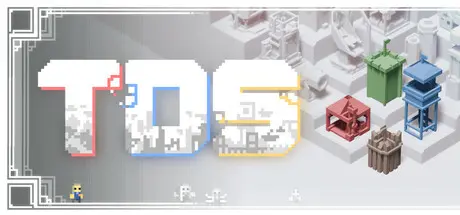
TDS Tower Defense Strategy is a Tower Defense, Real-Time Strategy Hybrid at its core. Build up, grab your friends, and defend against the Tides that approach.

Maps have no path, no limits, and most importantly... Enemies will fight back.

Control a Vessel, they are your anchor to the world.

Vessels in themselves are both a unit and a tower. Control them to mine, fight, and build your defense. Each of which comes with their own set of extremely unique towers to help in this endeavor.

Towers, units. Simple yet deep.

Expand your defense through an extremely rich set of upgrades that all play off one another. Synergistic in nature, there are many combinations and strategies you can employ to increase your effective hold. Towers can expand on one another, Vessels can too.

Handcrafted, fully realized unique maps.

On your adventure you will encounter MANY diverse maps, from floating woodcraft in the sky to massive derelict structures. Not only in their visual design but down to the very gameplay of them. No two maps are the same. And each one will challenge you systematically.

Outsmart, overpower.

Placement is key; you can make it through by sheer power, but you can also do so through your wit. There are many points in which your actions have a bearing more than simply upgrading to the next best thing. Create an ultra powerful single tower, create an impenetrable wall. You can even beat whole areas utilizing no towers* (Please fact check me on this)


Game Screenshots

screenshot screenshot screenshot screenshot


Game Trailer


System Requirements

Minimum Requirements

Recommended Requirements

OS

Windows 7, 10

Windows 7, 10

Processor

2.1 GHz Single Core

2.3 GHz Dual Core

Memory

4 GB RAM

4 GB RAM

Graphics

2 GB

4 GB

DirectX

Version 11

Version 11

Storage

750 MB available space

750 MB available space


Installation Guide

  1. No Installation Needed: The game is pre-installed. Just download and extract.

  2. Extract: Right-click the .zip or .rar file and select "Extract Here" or "Extract to folder".

  3. Run: Find TDSgame.exe inside the folder and run it.

Multiplayer & Online (Optional)

  • Play Online: Download the Online Fix file and apply it to the game folder.

  • Please go to the online fix page and read the guide.

Game Data & Settings

  • Change Language: Edit the file located at steam_settings/Configs.user.ini

  • Save Data Location: %USERPROFILE%/AppData/LocalLow/Blockage/TDS

Important Notes

๐Ÿ”ฅDOWNLOAD AREA๐Ÿ”ฅ

๐Ÿ”น573 MB๐Ÿ”น

Select the server you want to download with ZeiLink.

Download

Online Fix - (RAR pass: rexagames.com)

  • DicDale changed the title to TDS - Tower Defense Strategy Free Download (v1.1 + Online)

  • Views 605
  • Created
  • Last Reply

Posted Images

Create an account or sign in to comment

Recently Browsing 0

  • No registered users viewing this page.

Account

Navigation

Search

Search

๐Ÿ”Ž Search Tip
For exact results, search using "game name" .
Without quotes, results may include unrelated titles.

Configure browser push notifications

Chrome (Android)
  1. Tap the lock icon next to the address bar.
  2. Tap Permissions โ†’ Notifications.
  3. Adjust your preference.
Chrome (Desktop)
  1. Click the padlock icon in the address bar.
  2. Select Site settings.
  3. Find Notifications and adjust your preference.