



Skip to content
View in the app

A better way to browse. Learn more.

ZeiGames

A full-screen app on your home screen with push notifications, badges and more.

To install this app on iOS and iPadOS
  1. Tap the Share icon in Safari
  2. Scroll the menu and tap Add to Home Screen.
  3. Tap Add in the top-right corner.
To install this app on Android
  1. Tap the 3-dot menu (โ‹ฎ) in the top-right corner of the browser.
  2. Tap Add to Home screen or Install app.
  3. Confirm by tapping Install.

Sun Haven Free Download (v3.1.2b + ALL DLC + Online)
Featured Replies

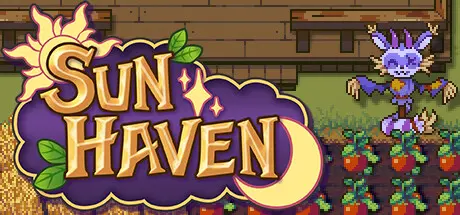
header.webp

Game Details

Release Name:ย Sun Haven

Game Version:ย v3.1.2b | Build 24149864

Release Date: 10 Mar, 2023

Publisher: Pixel Sprout Studios

Developer: Pixel Sprout Studios

Based On:ย CSF & Goldberg

Sun Haven Direct Download - Game Review

Immerse yourself in over 30,000 lines of dialogue, romance any (or allโ€ฆ) 23 characters, embark on side quests, interact with hundreds of unique NPCs, solve riddles, and discover secrets all around you in this lore-rich, story-driven world. Your actions may shape your journey, but your choices will determine your legacy. Where will your adventure take you?

Every Sun Haven playthrough is fully customizable with tons of in-game settings. Adjust the length of each day to be faster or shorter, make yourself invincible to damage, turn off seasonal pests that eat your crops, toggle weather effects on and off, or just enjoy the vanilla game with default settings!

Play through all four seasons, each with its own seasonal weather and effects, and utilize upgradeable farming tools and magic spells to grow fruits, vegetables, and flowers! Manage your time across 3 different farms with their own unique crops, fruit trees, and animals to take care of!

Raise classic farming livestock like cows, chickens, sheep, pigs, and other fantastical creatures like silk moths, baby griffons, phoenixes, werewolves, tar slimes, and more! In addition to barn animals, you can also collect a ton of pets and mounts that can accompany you on your adventures. Who doesnโ€™t love adorable companions?

Share a farm and play with up to 8 friends online, or keep to yourself and play solo. Your characters keep their inventories and experience levels, even if you use the same character for both singleplayer and multiplayer!

Upgrade and customize up to 8 houses with hundreds of exterior decoration options for your houseโ€™s roof, walls, windows, doors, and patios, as well as over 30 themed sheds that can be placed anywhere on your farm โ€” and thatโ€™s not including the treehouse in Nelโ€™Vari and the Apartment in Withergate! Homes, sheds, and farms can be furnished with hundreds of different furniture and decor items that can be purchased, crafted, received in the mail, or traded in multiplayer.


Game Screenshots

screenshot screenshot screenshot screenshot


Game Trailer


System Requirements

Minimum Requirements

Recommended Requirements

OS

Windows Vista or greater

-

Processor

2 GHz

-

Memory

4 GB RAM

-

Graphics

3GB Video Memory

-

DirectX

Version 10

-

Storage

10 GB available space

-


Installation Guide

  1. No Installation Needed: The game is pre-installed. Just download and extract.

  2. Extract: Right-click the .zip or .rar file and select "Extract Here" or "Extract to folder".

  3. Run: Find Sun Haven.exe inside the folder and run it.

Multiplayer & Online (Optional)

  • Play Online: Download the Online Fix file and apply it to the game folder.

  • Please go to the online fix page and read the guide.

Game Data & Settings

  • Change Language: Edit the file located at steam_settings/Configs.user.ini

  • Save Data Location: %USERPROFILE%/AppData/LocalLow/Pixel Sprout Studios/Sun Haven/Saves/

Important Notes

DLC List

Added DLCs

Sun Haven: Sweet Pet Pack

Sun Haven: Snack Pet Pack

Sun Haven: Sakura Pet Pack

Sun Haven: Garden Party Pack

Sun Haven: Cozy Cottage Pack

Sun Haven: Dรญa de Delights Pack

Sun Haven: Gearwork Glamour Pack

Sun Haven: Myths and Muses Pack

Sun Haven: Astral Pack

Sun Haven: Radiant Royalty Pack

Sun Haven: Cyberknight Pack

Sun Haven: Once Upon a Time Pack

Sun Haven: Snow Yeti Pack

Sun Haven: Squeaky Clean Pack

Sun Haven: Flames and Ashes Pack

Sun Haven: Emerald Elegance Pack

Sun Haven: Tea Temple Pack

Sun Haven: Claws and Paws Pack

Sun Haven: Bloom and Doom Pack

Sun Haven: Celestial Pack

Sun Haven: Deep Sea Pack

Sun Haven: Sugar Rush Pack

Sun Haven: Tis the Season Pack

Sun Haven: Snow Day Pack

Sun Haven: Toy Pack

Sun Haven: Starlight Pack

Sun Haven: Pop Sensation Pack

Sun Haven: Trick or Treat Pack

Sun Haven: Spirit Petal Pack

Sun Haven: Rock 'n' Roll Pack

Sun Haven: Cyberpop Pack

Sun Haven: Funky Monkey Pack

Sun Haven: Dreamy Ram Pack

Sun Haven: Free Snaccoon Costume

Sun Haven: Mushy Pack

Sun Haven: Set Sail Pack

Sun Haven: Ocean Shores Pack

Sun Haven: Wicked Mounts Pack

Sun Haven: Sweet Mounts (Sun Haven: Sweet Mounts Pack)

Sun Haven: Spooky Pet Pack

Sun Haven: Dreamy Pet Pack

Sun Haven: Gold Record Player

Sun Haven: Sun Armor and Sun Dress DLC

Sun Haven: Pet Baby Tiger DLC

Sun Haven: Withergate Mask DLC

Sun Haven: Pet Baby Dragon

๐Ÿ”ฅDOWNLOAD AREA๐Ÿ”ฅ

๐Ÿ”น1.18 GB๐Ÿ”น

Select the server you want to download with ZeiLink.

Download

Online Fix - (RAR pass: rexagames.com)

  • DicDale changed the title to Sun Haven Free Download (v3.0.2b + ALL DLC + Online)
  • 2 weeks later...
  • Replies 1
  • Views 3.3k
  • Created
  • Last Reply

Top Posters In This Topic

Posted Images

  • DicDale changed the title to Sun Haven Free Download (v3.1.2b + ALL DLC + Online)

Create an account or sign in to comment

Recently Browsing 0

  • No registered users viewing this page.

Account

Navigation

Search

Search

๐Ÿ”Ž Search Tip
For exact results, search using "game name" .
Without quotes, results may include unrelated titles.

Configure browser push notifications

Chrome (Android)
  1. Tap the lock icon next to the address bar.
  2. Tap Permissions โ†’ Notifications.
  3. Adjust your preference.
Chrome (Desktop)
  1. Click the padlock icon in the address bar.
  2. Select Site settings.
  3. Find Notifications and adjust your preference.