



Skip to content
View in the app

A better way to browse. Learn more.

ZeiGames

A full-screen app on your home screen with push notifications, badges and more.

To install this app on iOS and iPadOS
  1. Tap the Share icon in Safari
  2. Scroll the menu and tap Add to Home Screen.
  3. Tap Add in the top-right corner.
To install this app on Android
  1. Tap the 3-dot menu (โ‹ฎ) in the top-right corner of the browser.
  2. Tap Add to Home screen or Install app.
  3. Confirm by tapping Install.

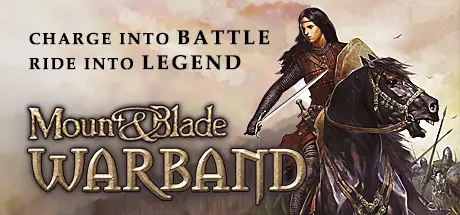
Mount & Blade: Warband Free Download (v2.068 + ALL DLC)
Featured Replies

header.webp

Game Details

Release Name:ย Mount & Blade: Warband

Game Version:ย v2.068 | Build 13654785

Release Date: 31 Mar, 2010

Publisher: TaleWorlds Entertainment

Developer: TaleWorlds Entertainment

Based On:ย CSF & Goldberg

Mount & Blade: Warband Direct Download - Game Review

In a land torn asunder by incessant warfare, it is time to assemble your own band of hardened warriors and enter the fray. Lead your men into battle, expand your realm, and claim the ultimate prize: the throne of Calradia!

Mount & Blade: Warband is a stand alone expansion pack for the game that brought medieval battlefields to life with its realistic mounted combat and detailed fighting system.

  • Graphical overhaul: Support added for HDR, FSAA, depth of field, soft particles, tone mapping, and many other effects

  • New models with greater detail and high-quality textures

  • Multiplayer battles with up to 64 players. Multiplayer modes include Deathmatch, Team Deathmatch, Capture the Flag, Conquest, Battle, and Siege

  • A campaign allowing you to become the ruler of a faction and convince lords to become your vassals

  • The ability to upgrade your companions to vassals by granting them lands

  • The ability to marry a lady of the realm for romance or cold political gain. Try to win a ladyโ€™s heart through poetry or bravery

  • Improved mechanics for soldier morale: Soldiers will break and run away if their morale gets too low

  • Pick any projectile off the battlefield for use as additional munitions

  • New motion-captured combat animations

  • Numerous improvements to the combat system: Your shield will still stop arrows even if you are not actively defending

  • The ability to play multiplayer matches on random maps as well as hand-designed ones

  • Multiplayer equipment system: Earn money by fighting opponents or accomplishing goals

  • The ability to use most throwing weapons in close combat: Switch to using a javelin as a short spear when the enemy gets close

  • Spend gold on more powerful equipment, using a carefully balanced system that will make combat more exciting without giving too much of an advantage to the leading team


Game Screenshots

screenshot screenshot screenshot screenshot


Game Trailer


System Requirements

Minimum Requirements

Recommended Requirements

OS

Windowsยฎ XP

Windows XP or greater

Processor

Intel Pentium 4 2.0 GHz or AMD 2.5 GHz

Intel Core Duo 2.0 GHz or AMD Athlon 64 X2 3600+

Memory

512MB RAM

1GB RAM

Graphics

3D graphics card with 64MB RAM

NVIDIA GeForce FX 5200, ATI Radeon 9600, or better

DirectX

-

-

Storage

100 MB available space

100MB available space


Installation Guide

  1. No Installation Needed: The game is pre-installed. Just download and extract.

  2. Extract: Right-click the .zip or .rar file and select "Extract Here" or "Extract to folder".

  3. Run: Find mb_warband.exe inside the folder and run it.

Game Data & Settings

  • Change Language: Edit the file located at steam_settings/Configs.user.ini

Important Notes

DLC List

Added DLCs

Mount & Blade: Warband - Viking Conquest Reforged Edition

Mount & Blade: Warband - Napoleonic Wars

๐Ÿ”ฅDOWNLOAD AREA๐Ÿ”ฅ

๐Ÿ”น3.01 GB๐Ÿ”น

Select the server you want to download with ZeiLink.

Download

  • 1 month later...
  • Replies 1
  • Views 1.8k
  • Created
  • Last Reply

Top Posters In This Topic

Posted Images

Create an account or sign in to comment

Recently Browsing 0

  • No registered users viewing this page.

Account

Navigation

Search

Search

๐Ÿ”Ž Search Tip
For exact results, search using "game name" .
Without quotes, results may include unrelated titles.

Configure browser push notifications

Chrome (Android)
  1. Tap the lock icon next to the address bar.
  2. Tap Permissions โ†’ Notifications.
  3. Adjust your preference.
Chrome (Desktop)
  1. Click the padlock icon in the address bar.
  2. Select Site settings.
  3. Find Notifications and adjust your preference.
