



Skip to content
View in the app

A better way to browse. Learn more.

ZeiGames

A full-screen app on your home screen with push notifications, badges and more.

To install this app on iOS and iPadOS
  1. Tap the Share icon in Safari
  2. Scroll the menu and tap Add to Home Screen.
  3. Tap Add in the top-right corner.
To install this app on Android
  1. Tap the 3-dot menu (⋮) in the top-right corner of the browser.
  2. Tap Add to Home screen or Install app.
  3. Confirm by tapping Install.

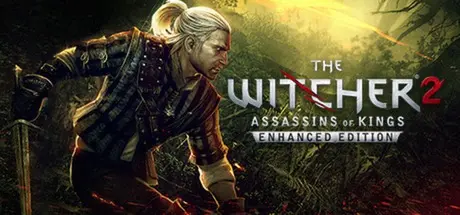
The Witcher 2: Assassins of Kings Enhanced Edition Free Download (Build 13542023)
Featured Replies

header.webp

Game Details

Release Name: The Witcher 2: Assassins of Kings Enhanced Edition

Game Version: Build 13542023

Release Date: 16 Apr, 2012

Publisher: CD PROJEKT RED, 1C-SoftClub

Developer: CD PROJEKT RED

Based On: CSF & Goldberg

The Witcher 2: Assassins of Kings Enhanced Edition Direct Download - Game Review

The second installment in the RPG saga about professional monster slayer Geralt of Rivia, The Witcher 2: Assassins of Kings spins a mature, thought-provoking tale to produce one of the most elaborate and unique role-playing games ever released on PC.

A time of untold chaos has come. Mighty forces clash behind the scenes in a struggle for power and influence. The Northern Kingdoms mobilize for war. But armies on the march are not enough to stop a bloody conspiracy...

  • Dive into an immense, emotionally-charged, non-linear story set in a fantasy world unlike any other.

  • Embark on a complex, expansive adventure in which every decision may lead to dire consequences.

  • Engage in over 40 hours of narrative-driven gameplay, featuring 4 different beginnings and 16 different endings.

  • Fight using a combat system that uniquely fuses dynamic action with well-developed RPG mechanics.

  • Use an array of unique witcher weapons, featuring both melee and ranged options.

  • Prepare for battle using a wide array of tactical options: craft potions, set traps and baits, cast magic and sneak up on your foes.

  • Discover a deep, rich game world where ominous events shape the lives of entire populations while bloodthirsty monsters rage about.

  • Explore numerous, varied locations: from vibrant trading posts, to bustling mining towns, to mighty castles and fortresses; and discover the stories they have to tell and dark secrets they hide.


Game Screenshots

screenshot screenshot screenshot screenshot


Game Trailer


System Requirements

Minimum Requirements

Recommended Requirements

OS

Windows XP/Vista/7

Windows XP/Vista/7

Processor

Intel 2.2 GHz Dual-Core or AMD 2.5 GHz Dual-Core

Intel or AMD Quad-Core

Memory

1.5 GB (Win XP), 2GB (Win Vista/Win 7)

3 GB (Win XP), 4GB (Win Vista/Win 7)

Graphics

GeForce 8800 (512 MB) or Radeon HD3850 (512 MB). Resolution: 1280x720.

GeForce 260 (1 GB) or Radeon HD 4850 (1 GB). Resolution: 1440x900.

DirectX

DirectX 9.29 has to be installed.

DirectX 9.29 has to be installed.

Storage

25GB

25GB


Installation Guide

  1. No Installation Needed: The game is pre-installed. Just download and extract.

  2. Extract: Right-click the .zip or .rar file and select "Extract Here" or "Extract to folder".

  3. Run: Find steamclient_loader_x32.exe inside the folder and run it.

Game Data & Settings

  • Change Language: Edit the file located at steam_settings/Configs.user.ini

Important Notes

🔥DOWNLOAD AREA🔥

🔹11.99 GB🔹

Select the server you want to download with ZeiLink.

Download

  • 3 months later...
  • Replies 5
  • Views 1.5k
  • Created
  • Last Reply

Top Posters In This Topic

Posted Images

fr0.w2speech all speech are missing i add mine and work perfect you just need to put it in cookedpc folder dicdale

  • 6 months later...

Hi sir, can I kindly request for you to re-uploade akirabox link? Vikingfile took ages to download and link from akirabox for some reason can't be downloaded. Thanks in advance sir

  • DicDale changed the title to The Witcher 2: Assassins of Kings Enhanced Edition Free Download (Build 13542023)

Create an account or sign in to comment

Recently Browsing 0

  • No registered users viewing this page.

Account

Navigation

Search

Search

🔎 Search Tip
For exact results, search using "game name" .
Without quotes, results may include unrelated titles.

Configure browser push notifications

Chrome (Android)
  1. Tap the lock icon next to the address bar.
  2. Tap Permissions → Notifications.
  3. Adjust your preference.
Chrome (Desktop)
  1. Click the padlock icon in the address bar.
  2. Select Site settings.
  3. Find Notifications and adjust your preference.